
How to Make Animated Cartoon videos with AI (Full Course)
🛍️ Products Mentioned (1)
Create Animated Cartoons with OpenArt 👉 https://youricreates.com/cartoons In this video, I show you a complete five-step workflow for creating animated cartoon videos with AI from scratch, even if you have zero animation, editing, or AI experience. You’ll learn how to plan a short cartoon story, generate consistent characters and scenes, animate both calm and action moments, add sound effects, and stitch everything together into a polished final video using modern AI tools like OpenArt and ElevenLabs. Prompts Used: You are an AI animation planner specialized in AI image-to-video cartoons. Your job is to turn a SIMPLE movie idea into a SHORT AI CARTOON PLAN that is realistic for current AI video models. IMPORTANT CONSTRAINTS: - Total story length: ~30–45 seconds - Use SCENES, not shots - Each SCENE represents a narrative segment, not a single movement - Each SCENE will later be broken into multiple animations - No dialogue - No timing promises (do NOT mention seconds) - Keep everything practical for AI generation OUTPUT STRUCTURE (FOLLOW EXACTLY): STEP 1: STORY SNAPSHOT - One sentence summary of the full story STEP 2: CHARACTER DEFINITIONS For each character, give: - Name / role - Visual description (style, body, clothing, vibe) STEP 3: SCENE BREAKDOWN Create 4–6 SCENES total. For EACH SCENE, output: SCENE X: - Scene goal (what changes emotionally or narratively) - Location / environment - Characters present - Start state (how the scene begins visually) - End state (how the scene ends visually) - Key actions that must happen in this scene (bullet list, 3–6 max) RULES: - Scenes should escalate logically - Each scene must be visually distinct - Each scene must be animatable with AI image-to-video STEP 4: FINAL RESOLUTION - One sentence describing the ending moment WAIT FOR INPUT. Movie Idea: --------------------------------- You are now an AI animation assistant. I will give you: - Character descriptions - One SCENE from an AI cartoon plan Your job is to convert this SCENE into: 1) Image prompts for key frames 2) Video motion prompts that animate those images RULES: - Use the SAME characters throughout - Assume image generation comes FIRST - Assume video animation comes AFTER - Do NOT invent new story elements - Keep prompts clean and reusable - Assume current AI video limitations OUTPUT STRUCTURE (FOLLOW EXACTLY): SECTION 1: CHARACTER IMAGE PROMPTS For EACH character present in the scene: - Write ONE clean image prompt - Neutral pose, clear lighting, full body - Designed for reuse across multiple scenes SECTION 2: SCENE IMAGE SEQUENCE Create a sequence of 3–4 IMAGES that visually represent the scene. For EACH IMAGE: IMAGE X: - What this image represents - Image prompt (describe composition, pose, emotion, camera angle) IMPORTANT: - Each image must logically flow into the next - Assume these images will be reused and animated SECTION 3: VIDEO MOTION PROMPTS For EACH IMAGE (or image pair), write: - A simple motion prompt suitable for AI video generation - ONE main action - ONE camera movement max FORMAT: VIDEO PROMPT X: - Input image(s): (e.g. “Use IMAGE 2” or “Use IMAGE 2 as start, IMAGE 3 as end”) - Motion prompt text WAIT AFTER OUTPUT. 00:00 – How to Make AI Cartoons (Step-by-Step) 00:24 – AI Cartoon Prompt Template (Copy & Paste) 02:29 – AI Character Creation (Consistent Characters) 03:10 – Best AI Image Generator for Cartoons (2026) 05:56 – AI Scene Generation (Cinematic Shots) 06:31 – Character Consistency Trick 08:19 – Best AI Video Generator for Cartoons 11:26 – AI Fight Scene Animation (Action Workflow) 13:46 – AI Sound Effects for Cartoons (ElevenLabs) 14:23 – AI Cartoon Editing & Final Export
🎬 More from Youri van Hofwegen
EXACTLY How to Make Ultra Realistic AI Videos (Cinematic)
17.4K views

How to Make AI Videos That Really Look Like You (Full Guide)
21.2K views
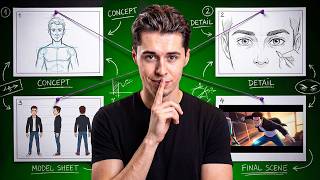
How to Build a Solo Animation Studio with AI (Full Course)
24.0K views

Best AI Video Generators Right Now (2026)
53.5K views
How to Create AI Anime with Seedance 2.0 (You're in Full Control)
18.7K views
How to ACTUALLY Use Higgsfield Cinema Studio (for Cinematic AI Videos)
29.1K views