
Flawless Skin in Seconds with ReTouch4Me
🛍️ Products Mentioned (8)
💰 Discount: Use code Your20 to save on ReTouch4Me plugins. 🔗 https://bit.ly/45QNyKD Skin retouching in DaVinci Resolve can be slow and complicated — especially when working with talking heads, interviews, fashion, or beauty footage. In this video, I test ReTouch4Me Heal and Dodge & Burn, two AI-powered plugins that run directly inside DaVinci Resolve. No exporting. No round-tripping. Just fast, professional skin retouching. I present real-world results using my own footage, break down how each plugin works, and explain when they’re worth using—and when they’re not. WHERE I GET MY AUDIO FROM WITH CODE SAVE70 70% OFF: https://audiio.com/partner?oid=1&affid=1421 GET DEHANCER PRO Get 10% Off | Code: YOURFILMMAKER https://www.dehancer.com/ INSTAGRAM https://www.instagram.com/iamyourfilmmaker TIKTOK https://www.tiktok.com/@yourfilmmaker MAIN GEAR MAIN CAMERA: https://geni.us/nbysxRP LENS: https://geni.us/cIYv9 BOOM MIC: https://geni.us/BqgqkCx CHEAP BOOM MIC: https://geni.us/LuA6MAv MORE GEAR https://geni.us/853AL2t LINKS USED IN THE DESCRIPTION MAY OR MAY NOT BE AFFILIATE LINKS By using the affiliate links I earn a small fee for your purchase, it does not cost you anything extra to use them. They help me to be able to create more videos for you. Thank you for the support! JOIN THIS CHANNEL https://www.youtube.com/channel/UCveGzx_Rveh_RmQIX8s5K0g/join #retouch4me #retouching #dodge&burn #yourfilmmaker ============================ VIDEO CHAPTERS ============================ 0:00 Intro 0:25 What this Video Covers 1:05 Installing & Finding the Plugins 1:48 ReTouch4Me Heal 6:18 Dodge & Burn 12:49 Workflow Speed & Real-World Use 13:11 Limitations 13:37 Pricing & Value 14:08 Final Verdict
🎬 More from Your Filmmaker
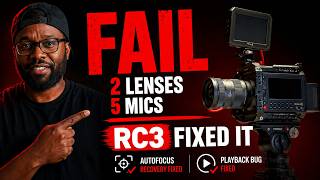
Blackmagic Pyxis 6K Autofocus RC3 — Two Lenses Failed Again and No Wireless Mic Worked via USB-C
599 views
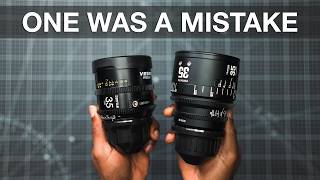
I Owned Both for 6 Months - Which Cine Lens Am I Keeping? | DZOFilm Vespid II vs Artisans INFINITE
1.8K views

15 Years In, Here's What I'd Actually Buy in 2026 #contentcreator #gear
1.2K views
Stop Wasting Money on Big Lights: Godox Proves It Wrong
3.2K views

Synco Xtalk Master Review — The Wireless Intercom Your Film Crew Actually Needs
8.5K views
Neewer X11 vs Elgato Teleprompter
991 views