
How to Download Invoices, Update Billing Info & Change Plans in YouCanBookMe (Step-by-Step Tutorial)
🛍️ Products Mentioned (6)
Need help managing your YouCanBookMe account? In this quick tutorial, we'll show you exactly how to: ✅ Download your YouCanBookMe invoices ✅ Update or change your billing information ✅ Upgrade, downgrade, or cancel your YouCanBookMe subscription plan Whether you're a small business owner or managing team bookings, this step-by-step guide will help you take control of your billing and subscription settings with ease. 📌 Pro Tip: Even if you’re on the free plan, you still have full access to your billing history and account settings! _______________________________________________ 🌟 Streamline Your Scheduling with YouCanBookMe! 🌟 Say goodbye to back-and-forth emails and hello to hassle-free booking. 💡 What is YouCanBookMe? YouCanBookMe (YCBM) is an intuitive appointment scheduling software designed to simplify your workflow. Whether you’re booking client meetings, organizing team schedules, or managing events, we make it easy with: ✅ Automated reminders to reduce no-shows ✅ Time zone detection for global scheduling ✅ Customizable booking pages to fit your brand ✅ Seamless calendar integrations (Google, Apple, Outlook, and more) 💻 Get Your Free Booking Page Today! ✅ Create your free account with unlimited bookings. ✅ Try all premium features with a 14-day free trial—no credit card needed. 🔗 Sign up now: https://app.youcanbook.me/#/register?yst=yout&ysi=youtube Why Choose YouCanBookMe? ✔ Save time and focus on growing your business ✔ Impress clients with a professional booking experience ✔ Simplify scheduling for teams, freelancers, and small businesses Explore More About YouCanBookMe: 👉 All Features: https://youcanbook.me/features/all-features?yst=yout&ysi=youtube 👉 Customer Reviews: https://youcanbook.me/testimonials?yst=yout&ysi=youtube 👉 Integrations: https://youcanbook.me/feature/integrations?yst=yout&ysi=youtube 🌐 Visit Our Website: https://youcanbook.me/?yst=yout&ysi=youtube 📢 Subscribe for More! Stay updated with expert tips, tutorials, and insights to make the most of YouCanBookMe. 🔔 Subscribe to our YouTube Channel: https://www.youtube.com/channel/UCUkips9yLLYF4hFUeNgkzeg?sub_confirmation=1 Powered By Capacity https://capacity.com/ #YouCanBookMe #AppointmentSchedulingSoftware #MeetingScheduler #BestSchedulingApp #OnlineSchedulingTool #SmallBusinessTools #FreeScheduler #AutomatedScheduling #ClientManagement #OnlineBookingPlatform #ProfessionalScheduling #TimeManagementApps #BestBookingSoftware #EfficientScheduling #SmallBusinessScheduling #CalendarSyncApps
🎬 More from YouCanBookMe Online Scheduling
How to Stop Overbooking Yourself with YouCanBookMe (Set Limits, Add Buffers, Protect Your Time)
12 views
YouCanBookMe Zoom Integration Setup: Auto Generate Zoom Links for Every Booking
18 views
10 Best Meeting Scheduler Apps in 2026 (Full Comparison + Pricing Guide)
62 views
How to Create Multiple Booking Pages in YouCanBookMe (Organize Your Calendar Like a Pro)
17 views
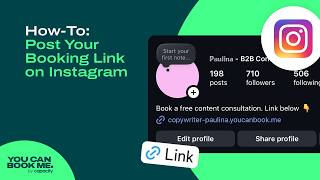
How to Add a “Book Now” Button on Instagram (Full Step-by-Step Setup for More Bookings)
91 views

Calendly vs YouCanBookMe: Full Comparison (Pricing, Features, Pros & Cons)
47 views