
315MHz & 433MHz RF Remote, How to Copy Code from One Remote to Another
🛍️ Products Mentioned (20)
Aliexpress
s.click.aliexpress.com
s.click.aliexpress.com
s.click.aliexpress.com
s.click.aliexpress.com
s.click.aliexpress.com
s.click.aliexpress.com
s.click.aliexpress.com
Northedge Apache
NORTH EDG Dive Watch
Amazon
Amazon Product
Amazon Product
Amazon Product
Amazon Product
Amazon Product
Amazon Product
Amazon Product
Amazon Product
Amazon Finds & Tools We Recommend
In this video, I show you how to copy code from one 315MHz or 433MHz RF remote to another remote. You will learn: • How to clear the old code • How to copy button A, B, C, and D • How to confirm copying using the LED indicator • What to do if some buttons don’t work This method works for fixed code and learning code RF remotes. Rolling code remotes are not supported. If this video helps you, please like and subscribe for more tutorials. #315MHz #433MHz #yellowpurple 📌 Buy on Aliexpress: 🔗https://s.click.aliexpress.com/e/_c3HYiKO7 🔗https://s.click.aliexpress.com/e/_c3XHMJmJ 🔗https://s.click.aliexpress.com/e/_c3KVicP5 🔗https://s.click.aliexpress.com/e/_c4r67psF 🔗https://s.click.aliexpress.com/e/_c2R8BXP1 🔗https://s.click.aliexpress.com/e/_c4pTTHpN 🔗https://s.click.aliexpress.com/e/_c3naLSpt 🔗https://s.click.aliexpress.com/e/_c3naLSpt 🔗https://s.click.aliexpress.com/e/_c3AbFXnh 🔗https://s.click.aliexpress.com/e/_c3KVicP5 🔗Northedge Apache: https://s.click.aliexpress.com/e/_c38xg0DZ 🔗NORTH EDG Dive Watch: https://s.click.aliexpress.com/e/_c38zCLc3 📌 Buy on Amazon: 🔗https://amzn.to/4kzJS6k 🔗https://amzn.to/4ap9IXn 🔗https://amzn.to/464nzjd 🔗https://amzn.to/3Mw1AuJ 🔗https://amzn.to/466CsBt 🔗https://amzn.to/46yrrZS 🔗https://amzn.to/4bSZbVj 🔗https://amzn.to/4qxFE0g 🔗https://amzn.to/4aucuJD 📌 Amazon Finds & Tools We Recommend 🛒 https://c8ke.com/yellowpurple ******************************************** 🔄 Step 1: Clear Old Code (Very Important) Before copying, you must clear the remote. Press and hold LOCK + UNLOCK together. LED flashes 3 times → release only one button. With the released finger, press that same button 3 times quickly. Release all buttons. Press any button once: ✅ LED turns OFF → clear successful ❌ LED stays ON → clear failed (repeat steps) 👉 All 4 buttons are now empty. 📋 Step 2: Copy (Clone) Original Remote Hold original remote in left hand, new remote in right hand. Keep them very close (almost touching). Press the same button on both remotes at the same time. After ~2 seconds: LED flashes twice, then keeps flashing Release buttons. Press the copied button again: LED stays ON → copy successful 🔁 Repeat for button 2, 3, and 4 if needed. ♻️ Step 3: Restore Code (If You Accidentally Clear) Press and hold the bottom two buttons together. LED flashes quickly. Release and press any button once. LED stays ON → code restored. ⚠️ Some Buttons Work, Some Don’t? Fix It Do this sequence: Clear code Copy only the failed button(s) Clear code again Restore code Repeat if needed until all buttons work. ******************************************** 💬 LIKE | COMMENT | SHARE | SUBSCRIBE 🔥 Please support the channel by subscribing: 🔔 https://www.youtube.com/channel/UCNqYc-ojesF6AbXwiWdZbeg?sub_confirmation=1 ━━━━━━━━━━━━━━━━━━ 📺 Watch More DIY & Tech Videos: 🔹 Extend WiFi Range with Another Router (No Cable): https://www.youtube.com/watch?v=_EpCRg5ggEs 🔹 Program ATtiny85 with Arduino Uno: https://www.youtube.com/watch?v=BL1gI4AcMOA 🔹 TP-Link to Netgear Wireless Sharing (WDS Mode): https://www.youtube.com/watch?v=9CS3xfIpK90 🔹 Sokoban Level 11 Solution: https://www.youtube.com/watch?v=xvu6r5_4_T4 🔹 Arduino Ultrasonic Radar System DIY: https://www.youtube.com/watch?v=l8PhAIYB8Us&t=34s 🔹 Connect Two Routers Wirelessly with WDS: https://www.youtube.com/watch?v=X-LLl9OIXK8 🔹 Extend WiFi with Another Router (Easy Guide): https://www.youtube.com/watch?v=wkyKX2ifPFo ━━━━━━━━━━━━━━━━━━ 📩 Contact for Inquiries: 📧 Email: EmailForViewers@gmail.com ━━━━━━━━━━━━━━━━━━ 🌟 Thank you for your support! 🌟
🎬 More from Yellow Purple
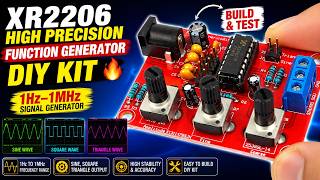
XR2206 High Precision Function Generator DIY Kit 🔥 1Hz–1MHz Signal Generator Build & Test
391 views
Mechanic Solder Paste Flux 35g Review 🔥 18650 Li-ion Battery & PCB Soldering & Electronics Repair
251 views
Gramin Soldering Lead 63/37 Review 🔥 Bangladesh's Best Soldering Wire | 18650 Battery Solder Test 🚀
261 views
Casio SGW-100 Twin Sensor Watch Upgrade 🔥 22mm Metal Strap Adapter + Screw Rod + Fashion Strap Band
140 views
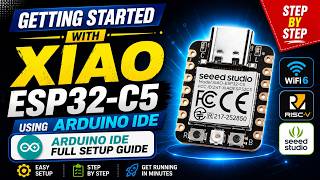
Getting Started with Seeed Studio XIAO ESP32-C5 Using Arduino IDE | Full Setup Guide
2.4K views

NEW Flipper One Review 🔥 Portable Linux Multi-Tool Computer
1.9K views