
Pt 20: Create A Shortcut To Open Your Goodnotes Digital Planner From Your Dock Or Home Screen
🛍️ Products Mentioned (3)
Did you know that you don’t have to buy a digital planner that has calendar link integration built in to it? You can quickly and easily add it yourself to any of your EXISTING digital planners, digital notebooks or digital templates. In this series I will show you how! The beauty of creating it yourself is that you get to choose what you want to add, where to put it and what it looks like. Plus it will take you only a couple minutes to set each one up. I have more information on my website with everything you will need to get started. https://writeitdownbooks.com/overview-link-your-existing-digital-planner-to-apple-calendar-reminders-more-with-shortcuts/ I truly hope this helps you! I have added all of the videos and their links below for your reference. If I add more videos that will be listed at the end titled: “Updates.” Thank you so much for watching! Erika WEBSITE: https://writeitdownbooks.com ETSY SHOP: https://writeitdownbooks.etsy.com ******** Calendar Events and Reminders Overview: Link Your EXISTING Digital Planner To Apple Calendar, Reminders & More With Shortcuts https://youtu.be/QoZBLYGmDGY Pt 1: Add An Apple Calendar Event Link To Any EXISTING Digital Planner Or Template Using Shortcuts https://youtu.be/D7oRy8F6a3Q Pt 2: Add Link To View All Calendar Events In EXISTING Digital Planner Or Template Using Shortcuts https://youtu.be/dOxi_JTk7JY Pt 3: Add Link To View Specific Calendar Events In EXISTING Digital Planner OR Template W/ Shortcuts https://youtu.be/lW3veVX0RkI Pt 4: Add Link To Create A Reminder In Any EXISTING Digital Planner Or Template Using Shortcuts https://youtu.be/1hbjZ5yH0Ik Pt 5: Add Link To Create Event Or Reminder In EXISTING Digital Planner Or Template Using Shortcuts https://youtu.be/3Wx-rCscPgE Pt 6: Add A Link To Open Reminders App In Any EXISTING Digital Planner Or Template Using Shortcuts https://youtu.be/03H4Hqk4hQY Pt 7: Add Link To Open A Specific Reminders List In Any EXISTING Digital Planner Using Shortcuts https://youtu.be/amNcRURLmVc Pt 8: Add A Link To View Reminders In Any EXISTING Digital Planner Or Template Using Shortcuts https://youtu.be/DvOJv54ZkO0 Pt 9: Add Link To View & Complete Reminders In EXISTING Digital Planner Or Template Using Shortcuts https://youtu.be/GhmP7V8uA9k Pt 10: Add A Link To Either Add Or View A Reminder In Any EXISTING Digital Planner Using Shortcuts https://youtu.be/uhD7mGY-GVk Pt 11: Add Link To Add / View A Reminder & Mark It Complete In EXISTING Digital Planner w/ Shortcuts https://youtu.be/MQVUPK7sY6w Pt 12: Add Link To Add / View An Event Or Reminder In Any EXISTING Digital Planner Option #1 https://youtu.be/2U0QspjO6Ho Pt 13: Add Link To Add / View An Event Or Reminder In Any EXISTING Digital Planner Option #2 https://youtu.be/iFU2dSqkXMo Pt 14: Use Google Calendar To Link & Add / View Events In EXISTING Digital Planner With Shortcuts https://youtu.be/LfZXAUsEyBY Automation Pt 15: Seamlessly Connect Your Calendar, Reminders & Digital Planner Using Shortcuts With Automation https://youtu.be/b0k-2Msjseo Pt 16: Create A Shortcut And Automation To Send A Recurring Email Of Open Reminders https://youtu.be/afn6vpncVow Pt 17: Create A Shortcut And Automation To Send A Recurring Email Of Newly Created Events https://youtu.be/Lwx2M8TRHh8 Dock / Home Screen Pt 18: Learn How To Add All Digital Planner And Calendar Shortcuts To Your Dock And Home Screen https://youtu.be/LLzlBxGMYYo Pt 19: Create Shortcut Menu & Open Your Favorite Goodnotes Digital Templates From Dock / Home Screen https://youtu.be/rFQA3ROrof0 Pt 20: Create A Shortcut To Open Your Goodnotes Digital Planner From Your Dock Or Home Screen https://youtu.be/He1SCK3gkAI Extras Pt 21: Add A Link To Start A Timer In Any EXISTING Digital Planner Or Template, Using Shortcuts https://youtu.be/V_JNEyRVr-o Pt 22: Download A Free Template For Your Frequently Used Shortcuts https://youtu.be/MdBAA_05QZg Resources Pt 23: Add Calendar & Reminder Shortcut Links To EXISTING Noteshelf Or Notability Digital Templates https://youtu.be/tPoqw0ALvTA Pt 24: Using Calendar And Reminder Shortcut Links In Goodnotes On A Mac, Plus Other Tips https://youtu.be/IQiXlilH2VM Pt 25: Troubleshooting Solutions For Calendar And Reminder Shortcuts And Automations https://youtu.be/OYXQALBo6Ps Updates (If needed)
🎬 More from WRITE IT DOWN BOOKS
2027 Elevate Power Digital Planner and 12 Subject Notebook Walkthrough
6 views
2027 Ultimate Elevate Digital Planner and 12 Subject Notebook Walkthrough
3 views
2027 Deluxe Digital and Simple Daily Duo Planner Walkthrough
5 views
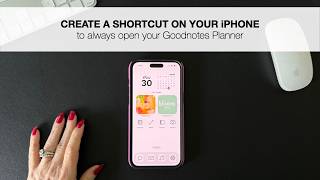
How to create a shortcut on your iPhone to always open your planner in Goodnotes
50 views
Using Goodnotes on your iPhone
49 views
Build Your Own Digital Covers with 1293 Alpha Numeric Stickers & Templates - Walkthrough
46 views