
Editing a LEICA MONOCHROM photograph in Lightroom
🛍️ Products Mentioned (3)
In this video, I take you through how I edited my favourite photograph from the Easter weekend. The photo was shot on a Leica M Monochrom with 28mm Elmarit-M ASPH lens with an orange filter. SilverChrome Profiles: https://jeffascough.com/silverchrome These were designed to convert colour images to black-and-white. They aren't camera brand specific and will work on all colour RAW files regardless of make. They also work fantastically well on Leica Monochrom images as you can see in the video. The mouse I'm currently using is a Logitech G502 HERO with G-Hub software to add keystrokes to the mouse buttons. My Amazon Affiliate link to the mouse is: https://amzn.to/3AgYwc4 If you would like some help with your Lightroom editing, please get in touch or take a look at https://jeffascough.com/online-street-photography-tuition for more details. Thanks for watching Jeff https://instagram.com/walklikealice
🎬 More from Walk Like Alice
From RAW to Final Image: Editing a Leica Mastershot
1.5K views
21mm Street Photography in London & Going Wide with the XPan
3.7K views
How I Edit a Leica Master Shot in Lightroom
4.5K views
I Shot in Harsh Sunlight With a Leica Monochrom and an Orange Filter
11.3K views
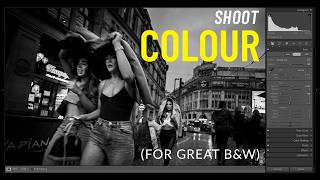
Do You Really Need a Monochrome Camera for Great B&W? (2 Lightroom Edits)
9.6K views

Taking Colour Seriously in Street Photography + Sarah’s New Project
5.7K views