
48 POWERFUL ways to use Nano Banana 2!
🛍️ Products Mentioned (6)
I share 48 ways you can use Nano Banana 2 to take your design, art & photography to the NEXT LEVEL! Each tip with a short Nano Banana Tutorial. ▶️ Use NANO BANANA 2 on OpenArt AI: https://openart.ai/home?utm_source=tolt&utm_medium=affiliate&utm_campaign=affiliate-tolt--acq-web&ref=waystousenanobanana Please note that the above & below link is an affiliate link that helps support the channel. Once you watch this video, you will know how to use Nano Banana 2 in a number of ways many didn't know were possible! 🔥 Download 25 FREE AI Art Prompt Formulas --------------------------------------- https://creatorimpact.com/free-prompt-formulas/ Note: you will need to subscribe to my free Email Newsletter to gain access. 💪 Download my FREE Midjourney Cheat Sheet --------------------------------------- https://creatorimpact.com/midjourney-free-cheat-sheet/ Note: you will need to subscribe to my free Midjourney Email Newsletter to gain access. ▶️ MIDJOURNEY MOODBOARD PACK --------------------------------------- Over 100 Midjourney Moodboards you can try! https://store.creatorimpact.com/b/xYML // PROMPTS & TIMESTAMPS ------------------ Note: I couldn't fit all the prompts in the description, so they are only available in the downloadable PDF Below. Downloadable PDF: https://creatorimpact.com/48-ways-to-use-nano-banana-2/ 0:00 - Translate Text Into Another Language Using Nano Banana 0:20 - Change & Alter Text, Keeping The Style 0:47 - Extract Objects / Photos And Straighten Them Using Nano Banana 1:06 - Upscale Images Using Nano Banana 3:13 - Enhance Detail Of Images 4:01 - Change Emotion And Facial Expression Using Nano Banana 4:15 - Dynamically Create Start & End Frames For Ai Video 4:40 - Zoom In Or Out Using Nano Banana 4:51 - Change The Action Or Pose Of Character Or Object 5:26 - Change Image Aspect Ratio Using Nano Banana 6:05 - Change Image/Art Style - Style Transfer 8:06 - Improve Photography Details - Smooth Skin 8:37 - Change Eye Color & Hair Color 9:03 - Enhance Contrast & Color Grading 9:50 - Change Exposure 10:16 - Change Angle 10:50 - Change Focus 10:55 - Change Lighting 11:17 - Change Weather 11:31 - Modernize / Change Date Photos Were Taken 13:20 - Denoise An Image 13:30 - Sharpen Animage 13:40 - Create Product Photography 14:46 - Add Text To Images & Designs 15:15 - Change Backgrounds And Complete Scenes 16:44 - Use Consistent Characters 12:27 - Change Or Add Clothes & Accessories 12:40 - Change Hairstyles 12:23 - Full World Building Using Nano Banana 23:34 - Handle Huge Amounts Of Text Using Nano Banana 24:28 - Create Infographics And Diagrams 24:56 - Create Maps Using Nano Banana 25:15 - Repair Damaged Photos Using Nano Banana 26:21 - Recolor Photos Using Nano Banana 26:50 - Add Or Remove Objects/People In Your Images 27:16 - Convert Plans Into Renders 28:04 - Make Annotations For More Precise Changes 30:08 - Create Simple Social Media Graphics 31:15 - Create Youtube Thumbnails 31:49 - Match Your Branding With Images Made Using Nano Banana 32:37 - Help Design Logos Using Nano Banana 33:14 - Create Mockups Using Nano Banana 34:49 - Convert To A Vector Style Image 35:57 - Change Someones Age 37:35 - Use A Sketch For Layout/Composition Reference 38:30 - Sketch To Image - Turn Your Art Into Full Rendered Images 41:14 - Add Special Effects To Your Images 42:46 - Create Comics Using Nano Banana Other resources: 3D World Building Tutorial: https://youtu.be/hnArfgul0Ig Vector Convertor mentioned in video: Vectorizer: https://vectorizer.ai/?atk=f9v3hfabgp Some links above are affiliate links that help to support this channel.
🎬 More from Wade McMaster - Creator Impact
How to use OpenArt AI: TUTORIAL for Beginners!
80 views
10 FUN Midjourney AI Art Styles You Need To Try! (Vol 64)
925 views
How to make a CINEMA LEVEL AI Short Film!
3.8K views
Master the ULTIMATE AI GRAPHIC DESIGN Tool! (Full Kittl AI Tutorial)
1.2K views
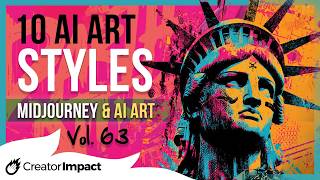
10 OUTSTANDING Midjourney AI Art Styles You Need To Try! (Vol 63)
2.1K views

Create EYE CATCHING YouTube Thumbnails with this AI Thumbnail Maker!
505 views