
REVIEW: xTool M2 Color Craft Laser Cutter and Engraver- Why buy 3 Machines When the M2 Does it all?
🛍️ Products Mentioned (2)
No Printer. No Engraver. No Cutter. Just M2. This laser is perfect for crafters, or small businesses that want to dip their feet into the laser cutting industry. Its versatility makes it a perfect addition to any craft room. This machine has it all with endless applications that are ideal for stickers, decor, tattoos, and custom gifts. Just in time to start creating for the upcoming fall/Christmas craft season. Link to purchase, I have the Color Print and Cut Bundle (using the link below will give me a small commission on items purchased on the xTool website)- https://www.xtool.com/products/xtool-m2-color-craft-laser-cutter-engraver?ref=ewlierhf&utm_medium=affiliate&utm_source=goaffpro&utm_term=5306 Link for more info: https://www.xtool.com/pages/xtool-m2-color-craft-laser-cutter-engraver?ref=ewlierhf&utm_medium=affiliate&utm_source=goaffpro&utm_term=5306 General Information: Switch between 10W/20W blue diode lasers, 3W IR, or the inkjet module to match your specific workflow. The M2 adapts to every project you imagine. Processing Capability: Module Type Laser module: 10W/20W Blue Diode Laser 3W Infrared Laser (add-ons) Printing module: CMYK Inkjet (add-ons) Processing Mode Laser Cutting / Laser Engraving / Inkjet Printing Working Area 10W / 20W: 16.7" × 12.5" (426 mm × 320 mm) 3W: 16.2" × 12.2" (412 mm × 310mm) Inkjet Mode: 11.8" × 11.5" (300 mm × 294mm) Max. Rotary Engraving Diameter 0 - 100 mm Max. Speed 600 mm/s Max. Cutting Capacity Basswood: 10W: 8 mm in one pass 20W: 10 mm in one pass Black Acrylic: 10W: 3 mm in one pass 20W: 8 mm in one pass Easy Operation Pre-assembled Yes Built-in Camera 5MP Panoramic Camera & 2MP Close-range Camera Positioning Method Camera positioning Focus Mode Autofocus Accuracy & Precision Laser Spot Size 10W Diode Laser: 0.0016" × 0.0024" (0.04 mm × 0.06 mm) 20W Diode Laser: 0.0024" × 0.0031" (0.06 mm × 0.08 mm) Supported Software xTool Studio Operating System Windows / macOS Connection Methods USB / Wi-Fi Supported Files SVG / DXF / JPG / JPEG / PNG / BMP Supported Materials Cuttable Wood / Opaque Acrylic / Paper / Cardstock / Cardboard / Foam / MDF / Leather / Felt Engravable Wood / Opaque Acrylic / Transparent Acrylic / Leather / Stainless Steel / Aluminum / Plated Metal / Paper / MDF / Cardboard / Felt / Rubber / Glass / Plastic / Cork / Ceramic Printable Paper / Cardstock / Sticker Paper / Wood / Canvas / Fabric / Felt / Leather Note: The inkjet module can print on fabrics, boards, printing paper, and similar materials. However, it cannot print on very dense or smooth surfaces such as metal, glass, and ceramic, as the ink cannot penetrate or adhere properly. These materials can be printed on after applying a suitable ink-receptive coating.
🎬 More from VMD Designs
HOW TO: Create a Peekaboo effect using PDB Creative Studio Vinyl and Glitters
457 views
TUTORIAL: Create a Galaxy Floral Tumbler Design using Glamour Tribe Vinyl Element Sheets and Micas
1.6K views
GLITTER TUMBLER TUTORIAL: Easter Peeps Tumbler with Carrot Handle using glitter, epoxy, and vinyl
1.5K views
TUTORIAL: Create a Beginner Friendly Floral Scrapbook Tumbler Design using Glamour Tribe Vinyl
2.0K views
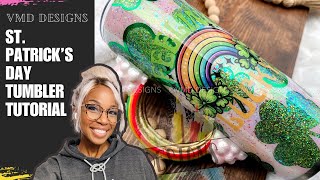
TUTORIAL: Create a DIY St. Patricks Day Glitter Tumbler with Custom Rainbow Handle
1.3K views
Decorate the bottom of my Affirmations Mugs with me! #glitter #glittertumbler #tutorial #foryou
1.5K views