
PS5 DualSense Controller on Ipad ! (Instructions & Review)
🛍️ Products Mentioned (8)
Instructions to connect, play and master the Sony PS5 DualSense controller on the Apple IPAD. Available at
Upgrade from the DualShock 4 Wireless Controller for PlayStation 4 @
and higher quality over the JOYSKY Wireless Controller @
or AliExpress
Easy to use and I love it. Here's a link for 30 day trial.
Amazon Prime for 30 days FREE
Amazon
or Ebay
Instructions to connect, play and master the Sony PS5 DualSense controller on the Apple IPAD. Available at https://amzn.to/3i7P6qG Upgrade from the DualShock 4 Wireless Controller for PlayStation 4 @ https://amzn.to/3o7O8i1 and higher quality over the JOYSKY Wireless Controller @ https://amzn.to/3CKLvXF Questions Answered: - How to Connect PS5 controller to IPAD? - Buttons and Features Overivew. - How to use on Apple TV? - What are Adaptive Triggers? - Heptick Feedback review. - Over all summary The new Sony PS5# Dualshock# Gaming# controler for an iPad# also provides: Haptic feedback - Feel physically responsive feedback to your in-game actions with dual actuators which replace traditional rumble motors. In your hands, these dynamic vibrations can simulate the feeling of everything from environments to the recoil of different weapons. Adaptive triggers - Experience varying levels of force and tension as you interact with your in-game gear and environments. From pulling back an increasingly tight bowstring to hitting the brakes on a speeding car, feel physically connected to your on-screen actions. Built-in microphone and headset jack - Chat with friends online using the built-in microphone or by connecting a headset to the 3.5mm jack. Easily switch voice capture on and off at a moment’s notice with the dedicated mute button. Internet and account for PlayStation Network required. The PS5 controller combines the best of a PS4 & Xbox into controller, and feels good in the hand. Get Amazon Prime for 30 days FREE: https://amzn.to/3lm7Z8s On this channel, I do Tech product reviews such as Electric Skateboards, Longboards, Drones, Cameras, audio and technical, tips tricks, innovative Ideas and cool Sports Tech stuff. If there's a video you want me to make, send me an email at tommydrone55@gmail.com I'd love to chat and meet you. Friend me on Facebook @ www.facebook.com/tommydrone5 where I share other things drone and camera related. Or just stop by to say hello and visit me on twitter too @ www.twitter.com/tommydrone 🎥 I made this video using Filmora Software. Easy to use and I love it. Here’s a link for 30 day trial. http://shrsl.com/?ehai 🎬 I don't like Patrion, I think they are a bad company; however, if you wish to support me and this channel, please click my affiliate links to: Amazon - https://amzn.to/34ljTbr or Ebay - https://ebay.to/2V9pJsz or AliExpress - https://s.click.aliexpress.com/e/_dSh... Affiliate Links are no cost to you and the prices are the same regradless; however, the company gives a percentage of the sale to the link generator (that's me.)
🎬 More from Tommy Drone Tech
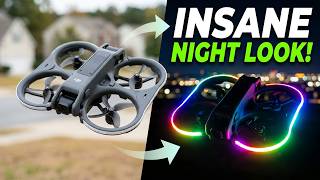
DJI Avata 2 LED Duct Guard Lights are Insane!
248 views
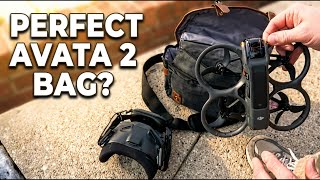
New DJI Avata 2 FPV Bag – Fits Everything for Under $25!
475 views
Best Budget Drone Under 250g? Ruko U11 Mini 4K Tested!
1.6K views
Ruko U11MINI 4K Gimbal Test - Better Than Expected?
668 views

Meepo Go Electric Belt-Drive Longboard is CRAZY !
1.0K views
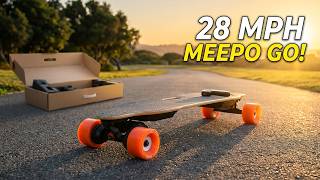
Meepo Electric Longboard: First Look and Ride Test
748 views