
Meta Quest HDMI - How to Use Quest as a Monitor
🛍️ Products Mentioned (6)
Easy to use and I love it. Here's a link for 30 day trial.
The HDMI capture card works easily with Meta Quest 2, 3 & probably 3s too, and is available from
To connect your phone you also need a USB-C to HDMI adapter available at
Ebay Product
The newest Meta Quest VR headset is available here
Now is the best time to get into Crypto Trading. Sign up at Coinbase for free and they will give you up to $30 BTC after your first trade.
Directions showing how to set up your Meta Quest VR headset to see everything from your computer on your Meta Quest 3, 3s and Quest 2 with the Meta Quest HDMI Link app and video capture card HDMI to USB-C ! Available from https://amzn.to/41FAhls (affiliate link - commissions earned) This HDMI capture card works perfectly with Quest 2, 3 & probably 3s too. Now, you can connect your Quest 3 to consoles, PC's, Phone, and for an immersive VR experience. Whether gaming or watching your favorite shows, the MetaQuest 3 becomes your all-in-one entertainment hub. It's as simple as plug-and-play for lag-free, crystal-clear visuals. The new Meta Quest VR headset is available here: https://amzn.to/4bGhRav (affiliate link - commissions earned) This latest version of this USB A/USB C video capture card is designed to work with almost any device. Whether you're using a laptop, tablet, phone, or even a Meta Quest 3, you won’t have to worry about compatibility issues. The dual interface design makes it super easy to connect to different devices without needing extra adapters. One of the best features is its 100W fast charging support. It works with Power Delivery 3.0 and Qualcomm Quick Charge 5.0, so you can charge while you play without your device running out of power. This is perfect for gaming, streaming, or any other activity that drains your battery quickly. This capture card is also plug-and-play, which means you don’t need to install any drivers or use an external power supply. Just plug it in, and you're ready to go! It’s small, lightweight, and super easy to carry, making it perfect for both indoor and outdoor streaming. It can capture both video and audio at the same time and send the signals to your computer or phone for preview and recording. Whether you’re using it for game streaming, teaching, online meetings, or medical imaging, this device delivers clear and smooth video quality with no hassle. With true USB 3.0 support, this capture card records at 1080p 60fps while allowing 4K@60Hz input. That means you get high-quality video with zero lag, making it perfect for streaming on OBS, AMCap, Xsplit, VLC, and more. If you need a reliable, easy-to-use capture card for gaming, recording, or live broadcasting, this one has you covered! Now you can connect Meta Quest 3 To Your PC. Changes Quest 3 Forever! HDMI LINK Game Consoles, iPhone, iPad, Computers 00:00 Introduction 00:11 HDMI 3.0 HDMI Video capture Card explained 00:22 How to set up HDMI Video capture card to Meta Quest 3. 00:42 How to stream from your computer to Meta Quest 3 01:16 VR used with Meta Quest 2 Visual and explanation 02:01 Directions to download Meta Quest HDMI Link App. 02:24 USB 3.0 Video Capture Card findings. To connect your phone you need a USB-C to HDMI adapter available at https://amzn.to/4gobOYr (Amazon Affiliate Link) or https://ebay.us/p3t9Q3 If you are wondering why don't I use Airlink or the special cable from Meta. This video is what I found about how that works and is what I used when I first got the Quest 2. Watch the video yourself and tell me which method you feel may be easier if all you want to do is watch a video from your PC. https://www.youtube.com/watch?v=kz33-7z_fM4 #VirtualReality #VR #Parksua #Metaverse #VRChat #ThePortalSearch #ViralVideo #ExplorePage #TechTrends #Viral #Gamer #Communty #Trending #Tech #Meta #metaquest ******** Now is the best time to get into Crypto Trading. Sign up at Coinbase for free and they will give you up to $30 BTC after your first trade. ***** https://coinbase.com/join/Q27QPF9?src=referral-link (Commissions Earned ) Thank you for watching my video and for your support. I did not get paid to make this video. Any income is earned via affiliate links and youtube ads. As an Amazon Affiliate, I earn from qualifying purchases. The affiliate links are of no extra charge to you. It does help me to create new content and purchase new content creation materials. On this channel, I do Tech product reviews such as Electric Skateboards, Longboards, Drones, Robots, Cameras, audio and technical, tips tricks, innovative Ideas and cool Sports Tech stuff. If there's a video you want me to make, send me an email at tommydrone55@gmail.com I'd love to chat and meet you. Friend me on Facebook @ www.facebook.com/tommydrone5 where I share other things drone and camera related. Or just stop by to say hello and visit me on twitter too @ www.twitter.com/tommydrone 🎥 I made this video using Filmora Software. Easy to use and I love it. Here's a link for 30 day trial. http://shrsl.com/?ehai
🎬 More from Tommy Drone Tech
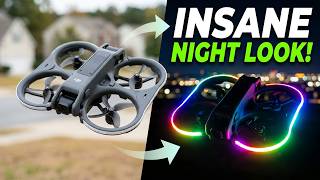
DJI Avata 2 LED Duct Guard Lights are Insane!
248 views
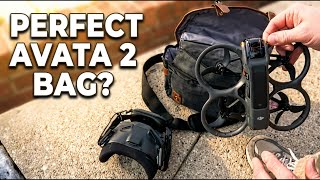
New DJI Avata 2 FPV Bag – Fits Everything for Under $25!
475 views
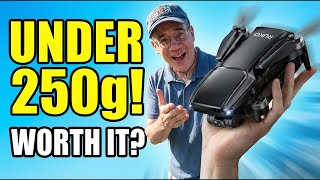
Best Budget Drone Under 250g? Ruko U11 Mini 4K Tested!
1.6K views
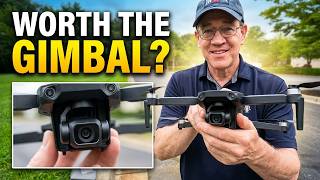
Ruko U11MINI 4K Gimbal Test - Better Than Expected?
668 views

Meepo Go Electric Belt-Drive Longboard is CRAZY !
1.0K views

Meepo Electric Longboard: First Look and Ride Test
748 views