
These CANVA Magic Studio Features Will Blow Your Mind! 🤯 How to Use AI-Powered Canva Tools✨
🛍️ Products Mentioned (3)
Try it in Canva: https://www.canva.com/pro/ In this video, I'm diving into Canva's Magic Studio (AI powered) tools - Magic Design, Magic Edit, Magic Expand, Magic Grab...to show you just how easy and fun it is to elevate your graphics game. Whether you're crafting eye-catching social media posts, refreshing your brand, or just spicing up your daily content, follow me for insider tips and tricks that will enhance your designs, making them more attractive and engaging! 🤖OTHER COOL AI TOOLS AI Headshot (Aragon): https://tinghsiao.com/recommends/aragon-ai AI Avatar (HeyGen): https://tinghsiao.com/recommends/heygen 🍿 SOME OF MY OTHER CONTENT Create AI Videos with Haiper: https://www.youtube.com/watch?v=CWucdzEVUbA Create your own AI Avatar: https://www.youtube.com/watch?v=3sJ2-L5DZU0 Translate your video to any language with AI: https://www.youtube.com/watch?v=FAUSc8INpQ8 MORE ABOUT ME 💁🏻♀️ If we haven't met before, hey there! 👋 I'm Ting, an online entrepreneur who's all about using AI and technology to enhance our lives and businesses. I'm here to share my journey and hopefully inspire some of you along the way. 🚀 Don't miss out on the latest updates and exclusive content. Subscribe now to stay connected! 💫 Chapters: 00:00 Intro 00:41 Magic Studio Intro 02:37 Magic Grab 04:35 Magic Expand 06:41 Magic Eraser & Magic Edit 10:37 Magic Media 12:18 Magic Design for Presentations 14:57 Magic Switch 16:50 Closing
🎬 More from Ting Hsiao
ElevenLabs V3 Tutorial: How to Get Human-Like AI Voiceovers (Step-by-Step)
2.8K views
I Found The Perfect ElevenLabs Voice For Every Content Type (Copy This)
3.9K views

5 AI Productivity Tools That Save Me 14+ Hours Weekly (My Real Workflow)
748 views
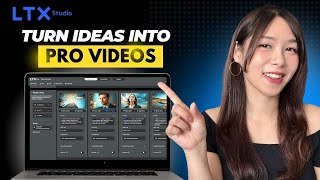
LTX Studio Tutorial: Create KILLER AI Videos & Animations FREE (Veo 2 Now Available!)
14.0K views
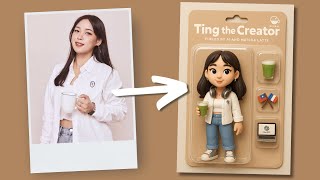
Turn Yourself into an AI Toy Action Figure (100% FREE)
16.5K views
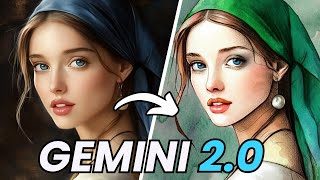
This FREE Google AI Tool Edits Images With Just Text (No Photoshop)
1.7K views