
How to Make Viral YouTube Thumbnails with FREE AI Tools (Hidden Method 2024)
🛍️ Products Mentioned (5)
Free tools I used in this video: Ideogram: https://ideogram.ai/ Remaker AI: https://remaker.ai/ Can you use only free AI tools to create a YouTube Thumbnail in Mr Beast's style? Well, in today's video, you will learn how I make eye-catching Thumbnail images with just 2 FREE AI tools! (Well, technically 3, if you count ChatGPT) 🚀Prompt: This is the prompt I use to get the haunted mansion photo on Ideogram. Feel free to use this as some kind of template and tweak it to meet your needs! A spine-chilling photograph of a young beautiful asian woman with long straight hair and a nervous and shocked expression on the side of the photo. She stands close to the camera, her hands near her face, as she gazes into the lens. The setting is a haunted mansion in the distance, with people silhouetted against the night sky as they flee from the spooky dwelling. The mansion itself, bathed in eerie light from its glowing windows, looms large in the background. The full moon casts a silvery glow over the scene, enhancing the haunting atmosphere. Use vibrant and contrasting color to attract attention. ⚙️Settings: Just remember to select 16:9 for YouTube thumbnails, and use Ideogram Model 1.0. ✅ RECOMMENDATIONS: 👉🏼 I grow my YouTube Channel using VidIQ. Find out here: https://vidiq.com/TingAI 👉🏼AI Headshot (Aragon): https://tinghsiao.com/recommends/aragon-ai 👉🏼AI Avatar (HeyGen): https://tinghsiao.com/recommends/heygen ◽️◽️◽️◽️◽️◽️ 🍿 SOME OF MY OTHER CONTENT Create your own AI Avatar: https://www.youtube.com/watch?v=3sJ2-L5DZU0 Translate your video to any language with AI: https://www.youtube.com/watch?v=FAUSc8INpQ8 MORE ABOUT ME 💁🏻♀️ If we haven't met before, hey there! 👋 I'm Ting, an online entrepreneur who's all about using AI and technology to enhance our lives and businesses. I'm here to share my journey and hopefully inspire some of you along the way. 🚀 Don't miss out on the latest updates and exclusive content. Subscribe now to stay connected! 💫 ◽️◽️◽️◽️◽️◽️ ⏰ TIMECODES: 00:00 Intro 00:55 Step 1 Find Your Video Idea 02:11 Step 2 Brainstorm Your Thumbnail Idea (Mr. Beast Inspired) 02:58 Step 3 Write Your Prompt 03:58 Step 4 Generate Your Photo with AI 06:27 Step 5 Use AI to Swap Faces 10:27 Closing ◽️◽️◽️◽️◽️◽️ DISCLAIMER: This description may contain affiliate links, meaning if you buy a product or service through these links, I could earn a small commission at no extra cost to you. Your support helps me keep providing new content weekly. Thank you for your support! Did you find this video helpful? Do you have any questions or comments? Share your thoughts in the comments down below! ⬇️
🎬 More from Ting Hsiao
ElevenLabs V3 Tutorial: How to Get Human-Like AI Voiceovers (Step-by-Step)
2.8K views
I Found The Perfect ElevenLabs Voice For Every Content Type (Copy This)
3.9K views
5 AI Productivity Tools That Save Me 14+ Hours Weekly (My Real Workflow)
748 views
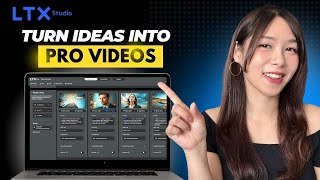
LTX Studio Tutorial: Create KILLER AI Videos & Animations FREE (Veo 2 Now Available!)
14.0K views
Turn Yourself into an AI Toy Action Figure (100% FREE)
16.5K views
This FREE Google AI Tool Edits Images With Just Text (No Photoshop)
1.7K views