
PowerShell commands You NEED to Know!
Windows PowerShell provides a wealth of powerful commands for managing and automating tasks on your system. Here are a 20 essential commands for Windows 11. Easy to follow along!! 1. Disable Transparency Effects Transparency effects can consume resources. Disable them with: Set-ItemProperty -Path "HKCU:\Software\Microsoft\Windows\CurrentVersion\Themes\Personalize" -Name "EnableTransparency" -Value 0 2.Remove Bloatware For a list of all installed apps: look for all apps on your system Get-AppxPackage | Select Name, PackageFullName then Get-AppxPackage | Where-Object {$_.Name -like "*appname*"} | Remove-AppxPackage in the app name type the app you want to rename 3. Clear Temporary Files Remove-Item -Path $env:TEMP\* -Recurse 4. Clean up WinSxS Folder Dism.exe /online /Cleanup-Image /StartComponentCleanup 5. Check for System File Corruptions (SFC) sfc /scannow 6.Check for and Repair Windows Component Store Issues Dism /Online /Cleanup-Image /RestoreHealth 7. Optimize and Defragment Hard Drives Optimize-Volume -DriveLetter C -Defrag -Verbose Optimize SSD (Trim) use but change the letter for your drive Optimize-Volume -DriveLetter C -ReTrim -Verbose 8.List Startup Programs View all startup programs that might be slowing down boot times: Get-CimInstance Win32_StartupCommand | Select-Object Name, Command, Location 9. Disable Unnecessary Startup Programs Disable unnecessary startup programs to reduce boot time and resource consumption Get-CimInstance Win32_StartupCommand | Where-Object {$_.Location -like "*Registry*"} | ForEach-Object {Start-Process -FilePath "regedit" -ArgumentList "/s $_.Location" -Wait} 10..Enable High-Performance Power Plan powercfg -setactive SCHEME_MIN 11.Clear Pagefile at Shutdown, This frees up memory on shut down Set-ItemProperty -Path 'HKLM:\SYSTEM\CurrentControlSet\Control\Session Manager\Memory Management' -Name ClearPageFileAtShutdown -Value 1 12.Manage Windows Update Delivery Optimization- Ensure Windows Update doesn't use your bandwidth unnecessarily: Set-DeliveryOptimizationStatus -Status Disabled 13. Uninstall OneDrive. if you dont want to use a 3rd part tool like chris titus you can do this Get-AppxPackage -Name *OneDrive* | Remove-AppxPackage 14.Turn Off Cortana--Disabling Cortana will free up memory and CPU usage: Set-ItemProperty -Path "HKLM:\SOFTWARE\Policies\Microsoft\Windows\Windows Search" -Name AllowCortana -Value 0 15.Disable Windows Animations Animations can slow down your system, especially on low-end hardware. You can disable them with this command: Set-ItemProperty -Path 'HKCU:\Control Panel\Desktop' -Name "UserPreferencesMask" -Value 9039934D 16. Disable Prefetch and Superfetch (SysMain) On SSDs, disabling Prefetch and Superfetch (SysMain) may improve performance: Stop-Service -Name "SysMain" -Force Set-Service -Name "SysMain" -StartupType Disabled 17. Clear DNS Cache Clear the DNS resolver cache to fix potential network issues and improve internet performance: Clear-DnsClientCache 18.Enable Write Caching on Storage Devices Enabling write caching can improve disk performance, especially for external storage: Enable-StorageBusCache 19.Delete Old Prefetch Data Old Prefetch data can accumulate and slow down your system. Clean it up with: Remove-Item -Path "C:\Windows\Prefetch\*" -Recurse 20. Optimize Network Settings for Performance To reduce network latency and increase throughput, enable TCP auto-tuning: netsh interface tcp set global autotuninglevel=normal Bonus Disable Search Indexing on SSD If you're using an SSD, disabling search indexing can improve performance: Stop-Service -Name "WSearch" -Force Set-Service -Name "WSearch" -StartupType Disabled Intro 0:00 20 must know commands 0:13 Outro 17:35 I want to give 100% HONEST Reviews for your hard earned money. Our economy is bad enough for other out here to give you bad reviews because they want there sponsorships!!!!!! #windows11 #pc #PowerShell #CommandLine #Windows #TechTips #Scripting #Automation #ITPro #Coding #TechTutorials
🎬 More from Thomaswithtomology

Best Amazon Home Finds 2026 | 4 Must-Have Upgrades!
46 views

This Dash Cam Sees EVERYTHING! 😳 | 4K 360° Amazon Find
311 views

I Stopped Wearing Smart Watches to Bed! (Somndeep Review)
51 views

Wyze Palm Lock: Setup, Alexa & Final Thoughts!
156 views

Will It Cool In Minutes?! ❄️ ZAFRO 16,000 BTU Smart Portable AC Review
533 views
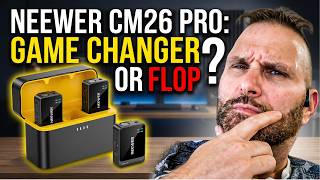
The Best Budget Wireless Mic? Neewer CM26 Pro
106 views