
I Made My Own Local ChatGPT With FREE Software
🛍️ Products Mentioned (3)

Want free ChatGPT in everything? In this Software Tuesday I show how LM Studio makes ChatGPT-style AI run 100% locally on Windows—then plug it into editors, web UIs, and apps via an OpenAI-compatible API. What you’ll learn Install LM Studio on Windows and pick fast local models (Qwen/Mistral/Gemma/gpt-oss). Start the OpenAI-compatible local server (no cloud, no monthly bill). Use it “everywhere”: browser chat (Open WebUI), desktop/mobile (Chatbox), and VS Code (Continue) for a “free ChatGPT” experience. 💯 I want to give 100% HONEST Reviews for your hard-earned money.Our economy is bad enough for others out here to give you bad reviews because they want their sponsorships!!!!!! Amazon Storefront: https://www.amazon.com/shop/thomaswithtomology My Website: 🌐 https://thomasnutter.com StayConnected:Subscribe:https://www.youtube.com/@Thomaswithtomolog 💰 Buy me a Coffee:PayPal: https://paypal.me/thomasnutter #tutorial #AI #review #software #chatgpt #LMStudio #Windows #Programming #Tech #OpenSource
🎬 More from Thomaswithtomology

Best Amazon Home Finds 2026 | 4 Must-Have Upgrades!
46 views

This Dash Cam Sees EVERYTHING! 😳 | 4K 360° Amazon Find
311 views

I Stopped Wearing Smart Watches to Bed! (Somndeep Review)
51 views

Wyze Palm Lock: Setup, Alexa & Final Thoughts!
156 views

Will It Cool In Minutes?! ❄️ ZAFRO 16,000 BTU Smart Portable AC Review
533 views
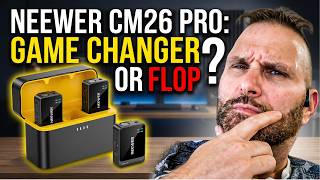
The Best Budget Wireless Mic? Neewer CM26 Pro
106 views