
Control Your Tesla From Home Assistant Now! (Updated Guide)
🛍️ Products Mentioned (3)
Forget just checking stats — this new Tesla Fleet integration for Home Assistant gives you full control. Lock or unlock your doors, start climate control, manage charging rates, and trigger automations based on time, presence, or even solar output. In this video, I’ll walk you through the entire setup: from generating secure keys to registering with Tesla and building phone and watch widgets that give you instant control over your car. This is the most powerful Tesla integration yet — and it’s officially supported. 📌 Timestamps: ⸻ 🧠 Read the full guide with copy-paste commands: 📖 https://tsh.li/yt161post Check out the official Home Assistant Tesla Fleet Docs: https://www.home-assistant.io/integrations/tesla_fleet/ ☕ Try out Magic Mind – Today’s Sponsor Get focused without the crash. 🧃 https://www.magicmind.com/SMARTJUNE Use code SMARTJUNE at checkout for an exclusive discount on your subscription. ⸻ ✅ Requirements: • Home Assistant OS (2024.8+) • Public HTTPS access (DuckDNS + NGINX recommended) • Tesla Developer Account • Ability to generate and host encryption keys ⸻ 🔔 Subscribe for more smart home tutorials and automation walkthroughs! 👍 Like this video if it helped, and comment below if you want to see advanced Tesla automations like solar-based charging or trip-based preconditioning. #Tesla #HomeAssistant #SmartHome #TeslaFleetAPI #TeslaAutomation #HomeAssistantTutorial #EVIntegration #MagicMind
🎬 More from This Smart House
This Robot Mower Actually Trims the Edges — Ecovacs GOAT A3000 LiDAR
383 views
Lymow One Plus - Can a Robot Mower Actually Cut Like a Real One?
3.0K views
Unlock Your Door Without Lifting a Finger: Aqara U400
1.2K views
Olight ArkPro vs Ultra — Which One Should You Actually Buy?
4.7K views
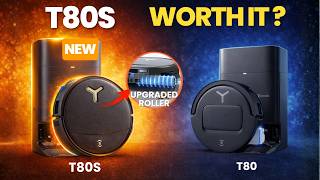
Ecovacs T80S Omni: The Upgrades That Really Matter
2.7K views
Can a Sub-$1,000 E-Bike Actually Change Your Daily Routine?
11.3K views