
How To Use TubeBuddy To Get More Exposure On YouTube!
🛍️ Products Mentioned (8)
So is TubeBuddy actually worth it? Does it actually help get you more views and exposure? In todays video I give you a full tutorial of the YouTube extension TubeBuddy! To get views with TubeBuddy you have to learn how to do proper keyword research. The keyword extension tool makes this super easier to do with a lot of self guided prompts. There are also so many quick access channel analytics you can see while you are navigating YouTube as well! Another way to get more views on YouTube fast is to use keywords in your time stamps and other videos you add to the description. This will give YouTube more ways to find you videos if the videos you tag are of the same vein. 🔔Subscribe For Weekly YouTube Tips, Guides and Tutorials: ➤https://www.youtube.com/channel/UCXW1TUKAwvdqXWDWh10auaw 🟣Join The Community On Twitch: ➤Twitch: https://www.twitch.tv/therealfloc 🔴Up Next: ➤Maxmize YouTube SEO in 2021 With Keyword Research! https://www.youtube.com/watch?v=e5ZVwpGNOms 🔴Up Next: ➤Keyword Research SECRET! | How To Do Keyword Research For YouTube 2021 https://www.youtube.com/watch?v=uIxfKaGeNUs&t=35s 🔴Up Next: ➤How To Get Your First 100 Subscribers On YouTube 2021 https://www.youtube.com/watch?v=S4M5zz2eToY&t=581s 🕒Timestamps: 0:00 Introduction 0:32 TubeBuddy Overview 1:00 Weighted Score vs Unweighted Score 1:45 Additional TubeBuddy Features 2:00 TubeBuddy Extension Tool 2:35 Overall Score Explained 2:53 Score Analysis Explained 4:16 How To Determine The Interest Level For Your Keywords 4:49 YouTube Studios Features 💠How do you use the Keyword Explorer to get more views on YouTube? ➤ The Keyword explorer tool gives you the ability to not only add keywords and phrases to your videos but also to your description. Before I started using TubeBuddy I would just guess as to what I should put in the description to describe my videos. Now I have a full on plan to help maxmize my YouTube Optomization! ✅The videos you will find on this channel are similar to videos you will find on channels like Nick Nimmin and VidIQ. Also there are a lot of themes and influence from creators like Film Booth, Annie Dubé, Channel Makers and Reberto Blake. 🔨Helpful Tools and Links: 🔴The Best Free Editing Software! ➤https://www.youtube.com/watch?v=5U0uSj92P14&t=156s 🟢The Best Free Tool To Create Your designs! (Snappa Overview) ➤Custom Thumbnails: https://www.youtube.com/watch?v=1Clx2NlSxho&t=60s ➤YouTube Channel Art: https://www.youtube.com/watch?v=WnDE5IJka4o ➤Live Stream Designs: https://www.youtube.com/watch?v=r9DHx_BGrQo 🟡Best Graphic Design Tools for YouTube Thumbnails: ➤How To Make YouTube Thumbnails! https://www.youtube.com/watch?v=Z4cJ8Ainv-k&list=PLhHR9DTdwpwXtGiDUDrKEfSjKkMBiuaCY 🟣Full Playlist on Streaming Tips! ➤https://www.youtube.com/watch?v=2iDYIg2Vzb0&list=PLhHR9DTdwpwUSM_bh-_r3LDp5DvqYJ1Ic 🚀My Gear Recommendations for Starting and Pro Creators: ➤Starter Kit For Content Creators: https://kit.co/AFloc/stream-starter-kit ➤Pro Kit For Content Creators: https://kit.co/AFloc/pro-kitf ➤Starter Pc Build: https://kit.co/Floc/starter-pc-build ➤My PC Build: https://kit.co/TheRealFloc/my-pc-build ➤My Peripherals: https://kit.co/TheRealFloc/my-pc-peripherals ➤My Current Content Creation Gear: https://kit.co/TheRealFloc/current-content-creation-gear ⚡Social Links ➤Twitter: https://twitter.com/therealfloc ➤Discord: https://discord.gg/ensveed ✅Business Email: therealfloc@gmail.com __________________________________________ Thanks for watching!! #therealfloc #floctips #flocguides
🎬 More from TheRealFloc
THE ULTIMATE YouTube Shorts Strategy Guide!
382 views
4 YOUTUBE MYTHS We Know, Ignore & Focus on Anyway
214 views
How To Start A Successful YouTube Channel!
127 views
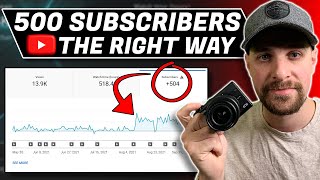
How To Earn and Keep Your First 500 Subscribers!
142 views
YouTube Gaming - Is It Now A Viable Option?
117 views
Davinci Resolve Studio - Is It Worth It For $300?
607 views