
How to edit AMAZING COLORS in LIGHTROOM - Edit with Me
🛍️ Products Mentioned (5)
SUBSCRIBE to the series ▶▶▶ https://bit.ly/3akOV84 📸 new videos every Monday Edit with Me Monday! In this series, we edit photos together from beginning to end so you can see the entire editing process. Today, we're focusing on the Color Grade panel in Lightroom & how you can use it to save your photos. ▶ TIMESTAMPS: 00:00 - Intro 00:39 - 01:32 Cropping 01:33 - 02:13 Light Panel 02:14 - 04:14 Color Panel 04:15 - 06:08 Color Mixer 06:09 - 07:01 Effects & Detail Panel 07:02 - 07:49 Healing Tool 07:50 - 09:54 Brush Tool 09:55 - 10:46 Before & After ▶ OTHER VIDEOS YOU MIGHT LIKE Edit a wintery Landscape: https://youtu.be/Z9w32wfs5fs Using AI to edit a PHOTO: https://youtu.be/4biQNsRPUIw Edit FASTER in Lr: https://youtu.be/qcqYHPZnuII ▶ STUFF CREATIVE CLOUD for 25% off: https://bit.ly/3jsXqRs Skillshare Classes for Creatives: https://youtu.be/xBoMd2_qrok Camera: https://amzn.to/2K451J7 Lens: https://amzn.to/38gMgtZ Light: https://amzn.to/38czGvM EMAIL: hello@thelucymartin.com INSTA: @thelucymartin *Disclaimer Many links in this description are affiliate links via Amazon & Impact and allows this channel to earn a commission.
🎬 More from Lucy Martin

6 TOOLS you NEED to run a PHOTOGRAPHY BUSINESS
1.7K views

5 Photography CONTRACT MISTAKES & what to do instead...
2.8K views
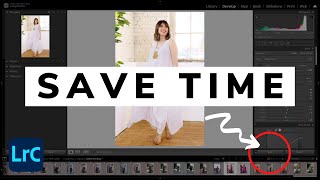
SPEED UP your EDITING in LIGHTROOM - 5 Easy Tips
5.5K views

EDIT faster with AI MASKS in LIGHTROOM + AI PRESETS
2.2K views

6 PHOTOGRAPHY TRENDS that will be HUGE in 2023
10.9K views

Using AI to EDIT MY PHOTOS - Intro to Imagen
10.8K views