
Setup and Best Settings for Streamlabs OBS on Mac
🛍️ Products Mentioned (23)
Video Notes
00:05:36 - Nerd or Die Overlays (
Streamlabs
Streamlabs Prime
iShowU Audio Capture
Shinywhitebox Product
Elgato Cam Link 4k
Elgato Cam Link
Nerd or Die Overlays & Alerts
MacBook Pro
Patreon Product
Sponsor me on GitHub
Twitch Product
Merch Shop
Gear Recommendations
Help in Our Discord Community
4K YouTube Kit
Pro Level Live Streaming Kit
Budget Gaming Streaming PC 2020
Performance Virtualization Server
Budget NAS Server
Coding & Gaming Keyboards
Coding & Gaming Mice
Streamlabs OBS for MacOS is here! In this video we'll walk through setting up Streamlabs step by step. We'll install Streamlabs OBS, set up desktop audio with iShowU Audio Capture so you can capture desktop audio, configure our webcam and game capture with a Cam Link, set up our alerts, configure the best possible streaming settings for Streamlabs, adjust our streaming layout, and go live. Video Notes: https://technotim.live/posts/streamlabs-mac/ If you're running BigSur, you'll want SWB Audio App instead. See links below! Intro: 00:00:00 Install: 00:00:53 Desktop Audio Capture: 00:01:06 Configure: 00:04:27 Audio: 00:04:53 Overlays: 00:05:36 - Nerd or Die Overlays (https://nerdordie.com/shop/ref/TechnoTIm/?campaign=twitch) Webcam: 00:06:36 Alerts: 00:07:30 Display Source: 00:09:20 Video Capture: 00:09:58 Best Streaming Settings: 00:11:00 Layout 00:13:01 Conclusion: 00:13:50 ► Streamlabs https://streamlabs.com/ ► Streamlabs Prime https://streamlabs.com/editor?promo=technotim-80b5-10 ► iShowU Audio Capture https://support.shinywhitebox.com/hc/en-us/articles/360030800592 ► https://shinywhitebox.com/swb-audio-app Support me on Patreon: https://www.patreon.com/technotim Sponsor me on GitHub: https://github.com/sponsors/timothystewart6 Subscribe on Twitch: https://www.twitch.tv/technotim Become a YouTube member: https://www.youtube.com/channel/UCOk-gHyjcWZNj3Br4oxwh0A/join Merch Shop: https://l.technotim.live/shop Gear Recommendations: https://l.technotim.live/gear Get Help in Our Discord Community: https://l.technotim.live/discord 2nd channel: https://www.youtube.com/@TechnoTimTalks 📦 Products featured in this video 📦 Elgato Cam Link 4k: https://amzn.to/3cdm4B8 Elgato Cam Link: https://amzn.to/3fu1kXU Nerd or Die Overlays & Alerts: https://nerdordie.com/shop/ref/TechnoTIm/?campaign=youtube MacBook Pro: https://amzn.to/2YOpztN Support me on Patreon: https://www.patreon.com/technotim Sponsor me on GitHub: https://github.com/sponsors/timothystewart6 Subscribe on Twitch: https://www.twitch.tv/technotim Gear Recommendations: https://l.technotim.live/gear Get Help in Our Discord Community: https://l.technotim.live/discord 2nd channel: https://www.youtube.com/@TechnoTimTalks (Affiliate links may be included in this description. I may receive a small commission at no cost to you.) Tim Kits: ► 4K YouTube Kit - https://kit.co/TechnoTim/4k-youtube-kit ► Pro Level Live Streaming Kit - https://kit.co/TechnoTim/pro-level-live-streaming-kit ► Budget Gaming Streaming PC 2020- https://kit.co/TechnoTim/budget-gaming-streaming-pc-2020 ► Performance Virtualization Server- https://kit.co/TechnoTim/performance-virtualization-nas-server ► Budget NAS Server- https://kit.co/TechnoTim/budget-nas-server ► Coding & Gaming Keyboards- https://kit.co/TechnoTim/coding-gaming-keyboards ► Coding & Gaming Mice- https://kit.co/TechnoTim/coding-gaming-mice ⏯ Recommended Videos ⏯ ► 20 Ways to Use a Virtual Machine (and other ideas for your homelab) https://www.youtube.com/watch?v=SVQmzaSabEQ ► Remote Gaming with Promox https://www.youtube.com/watch?v=fgx3NMk6F54 ► Let's Build a Discord Bot Using DiscordJS - Moderator Bot https://www.youtube.com/watch?v=YSZcyz2-twQ #StreamlabsOBS #MacOS #TechnoTim #NerdorDie #Elgato #1080p60FPS Description Tags: Techno Tim, technotim, obs best settings, how to run streamlabs on a mac, best quality for mac streamlabs, how to capture desktop audio on streamlabs mac. Software (x264), Apple VT H264 Software encoder, Apple VT H264 Hardware Encoder, tutorial, twitch, mixer, dlive, facebook gaming, youtube streaming services all supported. Thank you for watching!
🎬 More from Techno Tim
I Went to COMPUTEX 2026. Here’s What Actually Stood Out
34.5K views
Are Local Models Finally Good Enough?
118.4K views
I Built My Own Offsite 3-2-1 Backup System
53.7K views
What’s Actually Running in My Homelab? (50+ Self-Hosted Services)
363.2K views
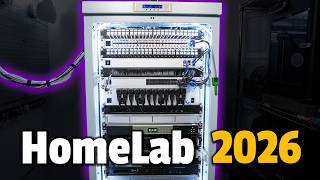
My 2026 Homelab Tour (Rack + Servers + Network + Storage)
163.2K views
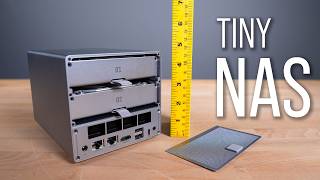
Beelink ME Pro: No Business Being This Capable
81.0K views