
ColorOS 16 Tips & Tricks | Guide to the best new features
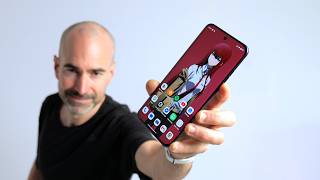
Reviewing ColorOS 16 and diving into some of the best new features on OPPO's Find X9 Pro. This latest launcher offers fresh camera tools, customisation options and plenty of great features, so here's my tips and tricks ColorOS 16 guide highlighting my favourite updates. First up, if personalisation is your favourite thing on your phone, you've got plenty to play with here. Everything from the app icons to folders are completely customisable in ColorOS 16. You've also got some great camera features including AI editing on board. The OPPO Find X9 Pro and regular X9 also serve up that Mind Space key, to help you remember stuff. ColorOS 16 also unfortunately leans heavy into iOS and Apple influence. As well as a floating turd widget, you can share files quickly with iPhones and MacBooks. That's my tips and tricks guide for ColorOS 16 but did I miss out your best favourite feature? Let us know below! ColorOS 16 Tips & Tricks Guide Chapters: 0:00 - Waffle 0:30 - ColorOS 16 UI & Control Center 1:02 - Home screen settings & folders 1:30 - App icons 2:07 - More customisation & Flux Themes 3:17 - Always On Display 3:54 - Motion Cues 5:12 - Floating screen turd 6:06 - Snap Key 7:14 - Mind Space 9:10 - Connecting to Apple crap 10:44 - Gaming features 12:53 - Battery tools 14:19 - Camera features & AI editing
🎬 More from Tech Spurt

Best Gaming Phones Reviewed (2026) | You Need THESE Beefcakes
13.9K views
This Mid-Range Smartphone is a Stunner!
44.3K views

Best Mid Range Phones RANKED | Top 5 For 2026
78.1K views

Is the Samsung S26 'Fan Edition' Worth Waiting For? | TSW279
23.6K views

TV, or Artwork? | Amazon Ember Artline
7.7K views

Samsung Galaxy XR | Is VR Worth That Price?
14.9K views