
Best Tablet for Students and Drawing 2025 - HUAWEI Matepad 12 X Papermatte In-depth REVIEW!
We take an in-depth look at Huawei’s latest 12″ productivity tablet, the MatePad 12X More Infos: https://consumer.huawei.com/ ↓↓↓↓↓↓↓↓↓↓↓↓↓↓ open up for more info ↓↓↓↓↓↓↓↓↓↓↓↓↓↓ From its sleek design to its “PaperMatte” display and productivity features, we test whether it lives up to its promise of being a true laptop alternative. 🔍 What we cover in this video: – Design & build quality — the tablet weighs only ~555 g and is just 5.9 mm thick.  – Display & stylus input — the 12″ 2800 × 1840 PaperMatte screen with up to 144Hz refresh rate gives a paper-like writing experience with the 3rd-gen M-Pencil support.  – Performance & hardware — powered by the Kirin T90A chipset along with 8/12 GB RAM options, delivering solid benchmark results.  – Productivity & ecosystem — we look at the keyboard cover, stylus, WPS Office integration, split-screen/multi-window capabilities, and how usable it is for work.  – Battery life & charging — the 10,100 mAh battery and 66W fast charging support (per official specs).  – Pros & cons — we’ll highlight what the tablet does very well (display, weight, stylus experience) and where it falls short (software/app ecosystem, maybe high-end gaming, etc.). – Final verdict — is it really an iPad/PC-killer in 2025? Who should buy it, and who might want to look elsewhere. 🎯 Bottom line: If you want a large-format tablet for drawing, note-taking, media, and light productivity, the MatePad 12X brings a compelling package — especially thanks to the PaperMatte screen and pen experience. However, if you depend on some specific apps, or need heavy-duty software perforamnce and compatibility (especially outside Huawei’s ecosystem), there are trade-offs to consider. ▬▬▬▬▬▬▬ about Stephen ▬▬▬▬▬▬▬ ► TikTok: / techmagnet ► Website: https://www.tech-magnet.tech ► Instagram: / techmagnet_yt ► Twitter: / techmagnet_yt ▬▬▬▬▬▬▬▬ ■ ▬▬▬▬▬▬▬▬ Timestamps: 0:00 Introduction 0:44 Matepad 12 x hands-on 5:00 Papermatte Screen vs iPad 8:19 M-Pencil pro vs Apple pencil pro 10:24 Case and Tablet outside 11:38 UI / UX Overview 17:16 how to get apps / google apps 21:19 M-Pencil pro test 23:20 Huawei Go Paint & Huawei Notes 34:08 VIdeo editing & other apps. 36:01 Multimedia & Gaming 37:50 conclusion #HUAWEI #Matepad12x #Tablet
🎬 More from TechMagnet

HiDock P1 and HiNotes 3.0 Update: Upgraded Notes, Smater Summaries, Better Workflow.
105 views

OUKITEL WP66 – A Second Screen on the BACK?!
33.0K views

DREO TurboPoly Fan 765S Review & Comparison – Worth It?
59.2K views

DREO Misting Fans Tested – 765S vs 516S vs Shark | Full Comparison
54.5K views

Autofull M6 Ultra 2.0 Review – Is This Gaming Chair Worth It?
32.4K views
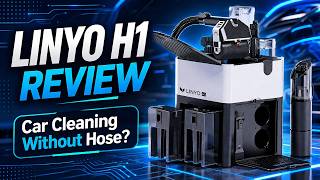
Linyo H1 Review – Can It Clean Your Car Without a Hose?
43.2K views