
Apple's AI Image Playground - How It works
🛍️ Products Mentioned (5)
Apple Intelligence has arrived and the Image Playground is one of the cool new AI tools that you can get with the iOS 18.2 update. I show you how to set it up and then take you step by step to show you how the new AI Image Playground works on the iPhone. Check out my Genmoji demo - https://youtu.be/dA592F_8DxI **The actual gear I'm using right now (believe it or not)** Camera - https://amzn.to/40at11U Audio recorder - https://amzn.to/3SqoVyP Light Kit - https://amzn.to/3FqICi3 Light Box Photo Studio - https://amzn.to/3M6Gobt Tripod - https://amzn.to/3Y866Bz contact - kirk@techitbeforeyouwreckit.com 00:00 Image Playground on Apple Intelligence 00:25 Did you try Genmoji yet? 00:40 Which iPhones support AI? 01:07 Setup Apple Intelligence on iPhone 01:47 Load up Image Playground 01:55 Basic AI image creation 03:03 Create AI image with your photo 03:42 Change the image style 04:05 Use a custom photo with AI 05:05 Customizing your image EVEN more with prompt 05:55 Can you believe this? LOOK MA - NO CLOUD! 06:38 Comment below - SUBSCRIBE to the channel!
🎬 More from Tech It Before You Wreck It

SECRET SITE plays EVERY RETRO GAME (2026)
28.3K views

The Google Fitbit Air is GREAT... but...
24.7K views

A WEB BROWSER on your Google TV (SO easy to setup)
8.0K views

Fitbit Air - Unboxing and 1st Look (the BIG surprise)
63.6K views

Roku's Secret $3 Remote... there's a CATCH
46.9K views
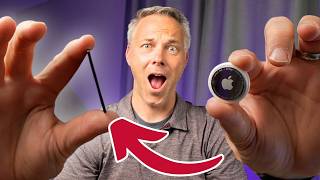
SHRINK the AirTag to fit into a wallet (SUPER Easy)
1.4K views