
setting up my NEW Home Server - Full Walkthrough Guide Pt.1 (Proxmox, RAID, Cockpit, Shares)
🛍️ Products Mentioned (19)
Big thanks to my VPN alternative Twingate for sponsoring this video! Checkout the Zero Trust Network Access solution here
Cockpit
Cockpit Sharing
Cockpit Identities
Cockpit Navigator
ZFS on Linux
ZFS in Proxmox
X (Twitter)
Bit Product
Bit Product
A COFFEE
YOUTUBE MEMBER
VPN I USE
MinisForum Tablet
Beelink N200
Raspberry Pi 5
Bit Product
LattePanda Sigma
Proxmox
UPDATED VIDEO: https://youtu.be/qmSizZUbCOA Big thanks to my VPN alternative Twingate for sponsoring this video! Checkout the Zero Trust Network Access solution here: https://bit.ly/feb24-twingate Twingate Guide: https://youtu.be/yaw2A3DG664?si=0tF-MOhCy-HsIIyE —— UPDATED VIDEO: the ULTIMATE Home Server Setup - Full Walkthrough Guide Pt.1 (Proxmox, ZFS, Samba) https://youtu.be/qmSizZUbCOA NOTICE: At the time of recording I preferred those three containers separated. However, I am going to make an updated video of going over how to do my current set up. Essentially, everything is the same except for the LXC containers that I create are all within one. ie the vault, plex, and servarr containers are now just one called servarr. This making sharing virtual drives between LXC containers not necessary. I still have the same separate data and docker volumes attached. How I switched to this was just by installing Plex and my Docker stack directly on the first vault container that technically owns all the data then I renamed it. Giving hardware transcoding to an unprivileged LXC container is a fairly easy thing to do. I personally didn’t run into any issues myself except for when the Plex container was going to write data when using the DVR feature. —— This is part one of my FULL server setup with Proxmox! In this part we setup network shares and get all our storage aligned and ready to go! 📖 RESOURCES Proxmox: https://www.proxmox.com/en/downloads Cockpit: https://github.com/cockpit-project/cockpit Cockpit Sharing: https://github.com/45Drives/cockpit-file-sharing Cockpit Identities: https://github.com/45Drives/cockpit-identities Cockpit Navigator: https://github.com/45Drives/cockpit-navigator ZFS on Linux: https://pve.proxmox.com/wiki/ZFS_on_Linux ZFS in Proxmox: https://www.reddit.com/r/Proxmox/comments/jppohv/a_very_short_guide_into_how_proxmox_uses_zfs/ 🏆FOLOW TECHHUT X (Twitter): https://bit.ly/twitter-techhut MASTODON: https://bit.ly/mastodon-techhut INSTAGRAM: https://bit.ly/personal-insta 👏SUPPORT TECHHUT (all links below this line will earn us commission) BUY ME A COFFEE: https://buymeacoffee.com/techhut AIRVPN: https://airvpn.org/?referred_by=673908 HOSTINGER: https://bit.ly/techhut-hostinger YOUTUBE MEMBER: https://bit.ly/members-techhut 📷MY GEAR (PAID LINKS) MinisForum Tablet: https://amzn.to/3SeMmds Beelink N200: https://amzn.to/3xZjeQs LattePanda Sigma: https://amzn.to/3xZjpv6 Raspberry Pi 5: https://amzn.to/4f3yUCN ⏰ TIMESTAMPS 00:00 - Join me! 00:55 - Twingate (Sponsor) 01:55 - Hardware 03:33 - Software 04:36 - Flashing and Bios 05:43 - Installing Proxmox 08:11 - Storage Pool in Proxmox 11:02 - ZFS Commands 11:47 - Creating and Assigning Storage 14:36 - Creating Ubuntu Container 16:55 - New Mount Point in Containers 17:47 - Install Cockpit 19:48 - Install Cockpit Share Services 21:25 - CLICK FIX 21:30 - Create Users 23:31 - Setup Network Shares (SMB) 25:41 - Enable Discovery for Windows Machines 26:19 - Testing and DONE!
🎬 More from TechHut

I'm Done With Plex - Setting Up JellyStat for Jellyfin
30.5K views
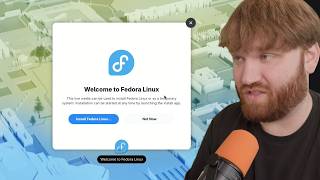
just use Fedora...
40.6K views

The Doomsday App Every Home Lab Needs
79.2K views

I'm DITCHING the Raspberry Pi for THIS!
17.5K views

my UniFi Network is Completely Overkill
8.3K views

Stop Avoiding Kubernetes - Set Up a K3S Cluster at Home
18.4K views