
NearStream VM20 REVIEW: A Webcam Killer?
🛍️ Products Mentioned (6)
In this video, we take a closer look at the NearStream VM20 streaming camera and see what it can offer for creators, streamers, and online professionals. Can this compact camera help you stream like a pro? We test the design, image quality, setup process, and key features to see if it's a good upgrade for your streaming or content creation setup. If you're looking for a simple way to improve your live streams, video calls, or YouTube videos, the NearStream VM20 might be worth considering. Buy NearStream VM20: ➨ https://amzn.to/4sGrnjp - Amazon ➨ https://www.nearstream.us/4k-wired-streaming-camera-vm20 - Official Website Timecodes: 00:00 - Intro 01:01 - Unboxing 01:57 - Accessories 02:06 - Size and Weight 02:24 - Materials 02:59 - Microphones 03:06 - Lens 03:10 - Connection Options 03:22 - Webcam or Streaming Camera? 03:44 - Ports and Connection 05:24 - Software 06:45 - Remote Control 07:26 - Video Quality 09:50 - Microphone Quality 10:23 - Conclusions NearStream VM20 Features: - 4K Crystal Clear Imaging & 40X Hybrid Zoom Powered by a Sony Starvis sensor, this 4k streaming camera excels in low-light settings, ensuring excellent 4k image clarity fine detail. It delivers incredible 40X Hybrid Zoom (10x optical, 4x digital), allowing you to capture sharp, detailed images even from long distances. The streaming camera is ideal for vloggers, streamers, and content creators aiming for top-quality 4k camera for streaming footage. - Multiple Connection Options & Effortless Setup with Simple Webcam Connectivity Our streaming camera for pc supports three convenient wired connection options: HDMI, USB, and RJ45. This flexibility ensures seamless integration with various devices. Featuring RTSP protocol support, the live streaming camera allows you to stream effortlessly to platforms such as YouTube, Facebook, Twitch, and OBS. Additionally, this camera for live streaming connects instantly with plug-and-play simplicity—just like any standard webcam, ensuring a smooth and hassle-free streaming or recording experience. - Support for Multi-camera Setup & Versatile Shooting Angles Easily create a professional streaming setup by connecting multiple VM20 4k streaming camera. Capture dynamic shots from various angles, adding a creative flair to your broadcast. - Smart Remote Control & Preset Modes Take full control over your video capture with the included remote of this streaming camera. Adjust the zoom, set preset positions, and customize visual settings in real time. The 4k streaming camera's 3 customizable preset positions let you quickly switch between scenes with ease, ensuring optimal framing and precise control at all times. - 360° AI Noise-Canceling & 3.5mm Audio Input This streaming camera for pc can pick up 360° audio within a 16-foot radius. The integrated AI noise-canceling technology eliminates unwanted background noise, delivering crisp, clear sound. You can also enhance your audio setup by connecting an external microphone through the 3.5mm audio input to this streaming camera, providing even more flexibility for professional streams. HashTags for searching: #NearStreamVM20 #NearStream #StreamingCamera #Webcam Music credit: 1) Track: MokkaMusic - Pathfinder https://www.youtube.com/watch?v=EkXZrrIGXII Music provided by MokkaMusic Youtube channel and https://inaudio.org 2) A Magical Journey Through Space by Leonell Cassio / leonellcassio Creative Commons — Attribution-ShareAlike 3.0 Unported — CC BY-SA 3.0 Free Download / Stream: https://www.audiolibrary.com.co/leonell-cassio/a-magical-journey-through-space Music promoted by Audio Library https://www.youtube.com/watch?v=DRwYhxVNwzU 3) Music from #InAudio: https://inaudio.org/ Upbeat Creative Future Pop by Infraction [No Copyright Music] / Dance https://www.youtube.com/watch?v=rYHCbC5YUuQ 4) Track: MokkaMusic - Mirrorline https://www.youtube.com/watch?v=lU_tibL7B2A Music provided by MokkaMusic Youtube channel and https://inaudio.org 5) Music from #InAudio: https://inaudio.org/ Stylish Technology Innovation by Infraction [No Copyright Music] / Computer https://www.youtube.com/watch?v=3BWcoeHD53o 6) Track: MokkaMusic - Pray For Us https://www.youtube.com/watch?v=O1ZPpiKhgSc Music provided by MokkaMusic Youtube channel and https://inaudio.org 7) Music from #InAudio: https://inaudio.org/ Stylish Technology Business by Infraction [No Copyright Music] / Creation https://www.youtube.com/watch?v=IAS4OEaLnd4 Video credit: Tech Brothers https://www.youtube.com/c/techbrothersreviews/ Follow Tech Brothers: Web: https://TechBrothers.pro/ Twitter: https://twitter.com/TechBrothersPro Facebook: https://www.facebook.com/TechBrothersProduction Instagram: https://www.instagram.com/TechBrothersPro Reddit: https://www.reddit.com/user/TechBrothersPro YouTube: https://www.youtube.com/c/techbrothersreviews/?sub_confirmation=1
🎬 More from Tech Brothers

Ultimea Poseidon M4T REVIEW: The Best 5.1 Channel Soundbar Under $200?
20 views
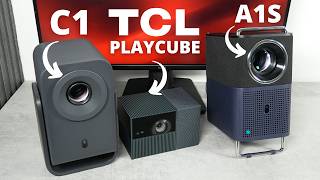
Which TCL Projector Is Best? C1 vs A1S vs PlayCube
177 views

TCL PlayCube REVIEW: No Bad Reviews... Is It Really That Good?
850 views
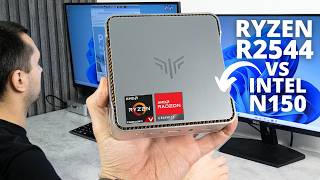
KAMRUI P2 REVIEW: The Mini PC Most People Actually Need! AMD Ryzen Embedded R2544
719 views
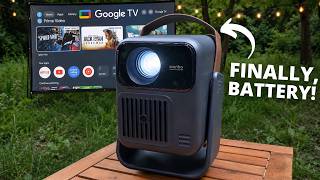
Wanbo ToGo Pro REVIEW: Is the First Battery-Powered Wanbo Any Good?
653 views
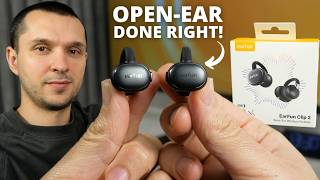
EarFun Clip 2 REVIEW: Open-Ear Comfort That Actually Sounds Good!
537 views