
The Complete LinkedIn Privacy Guide: 21 Visibility & Privacy Settings You Must Know and Use
Want the complete LinkedIn Privacy Guide in one place? In this video, I walk you through 21 LinkedIn privacy, visibility, and messaging controls that help you manage who can see your profile, find you in search, view your activity, and contact you on LinkedIn. (See Chapter list below) If you’ve ever asked: “Who can message me?”, “Can people find me by my email or phone?”, “Who can see my connections?”, or “How do I view profiles privately?”—this comprehensive LinkedIn privacy checklist is for you. The Complete LinkedIn Privacy Guide (21 areas covered) Chapters: 00:52 - Who can view your phone # and email Address? 02:29 - Who can see your LinkedIn Connections? 03:10 - Who can see your LinkedIn Posts, including Documents, Photos, Videos, but excluding LinkedIn Articles & Newsletters? 04:06 - Who can see your comments, replies, and reactions to other LinkedIn Member's Posts? 05:19 - Who can comment on your Posts on LinkedIn? 06:43 - Is your LinkedIn Profile public to non-LinkedIn Members? 08:05 - Who can see your LinkedIn Profile in Microsoft Apps like Outlook? 09:12 - Who can send you a LinkedIn Invite? 09:59 - Who can Message you on LinkedIn? 11:02 - Who can send you invites to Follow their Page, Join Events, Subscribe to their Newsletter, Follow them on LinkedIn? 11:41 - Who can see the LinkedIn Members you are following? 12:11 - Who can find your LinkedIn Profile via your phone number? 15:16 - Who can find your LinkedIn Profile with your email address? 16:16 - Can I restrict my identity when viewing other LinkedIn Profiles? 17:05 - Can your last name be seen by other LinkedIn Members? 17:41 - Who can see your LinkedIn Profile Picture? 18:28 - Who can see that you are active on LinkedIn? 19:22 - Who gets notified of your key LinkedIn Profile changes? 20:09 - Does your LinkedIn Network get notified if you are found in the news? 20:45 - Who can Follow you on LinkedIn? 21:44 - How do I Block & Report LinkedIn Members? 23:01 - LinkedIn Groups 24:03 - LinkedIn Pages What you’ll get from this video - A step-by-step privacy audit for LinkedIn. - Clear ways to control visibility, profile discovery, and messaging. - Practical tips to reduce unwanted invites, spam messages, and oversharing. 1. The Complete LinkedIn Privacy Guide: 21 Visibility & Messaging Settings You Must Know 2. LinkedIn Privacy Settings Master List: 21 Controls for Visibility, Messages, and More 3. The Ultimate LinkedIn Privacy Checklist (21 Settings That Protect Your Profile) 4. Comprehensive LinkedIn Privacy Guide: Control Who Sees You, Finds You, and Messages You 5. LinkedIn Visibility & Privacy Controls: The Complete 21-Point Guide 6. Lock Down Your LinkedIn: The Complete Privacy Guide (21 Critical Settings) 7. LinkedIn Privacy & Visibility Blueprint: 21 Settings to Manage Your Digital Footprint 8. Who Can See You on LinkedIn? The Complete Privacy Guide (21 Settings) 9. LinkedIn Privacy Power List: 21 Settings That Control Search, Views, and Contact 10. The Complete LinkedIn Privacy Audit: 21 Settings to Review Today
🎬 More from LinkedIn Support for Real-World Results

After Years on Quora, I'm Done
5 views
Rapport Sucks
6 views
LinkedIn & YouTube Strategy: 5 Tips for Small Business
14 views
ChatGPT: The Only Tutorial You Need to Get Started
53 views
DDCC SBC- Using YouTube & LinkedIn as Business Tools Webinar - 05/21/26 (AI Version)
17 views
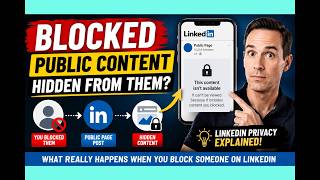
LinkedIn Blocking Broken? My Honest Test Results
18 views