
Share ONE Section of Your LinkedIn Profile. Give the viewer what they need - with No SCROLL
In this video, I show you how to share a specific section of your LinkedIn Profile so someone can jump directly to the information you want them to see. No more sending people to the top of your profile and hoping they scroll to the right spot. You’ll learn: * How to get the URL for an individual LinkedIn Profile section * What the other person sees when they click your link * How Focused viewing can help your Business, Career, and Job Search conversations Use this when you’re sharing your profile with a recruiter, a potential client, a referral partner, or anyone who needs one specific detail fast. Keywords: LinkedIn Profile, Profile Views, Focused viewing, Business, Career, Job Search, LinkedIn tips ## Description template option B (more persuasive / outcome-driven) Most people share their entire LinkedIn Profile and expect the viewer to hunt for the right section. That’s a quick way to lose attention. In this video, I demonstrate how to share individual sections of your LinkedIn Profile using a direct URL, so your viewer lands on the exact content you want them to see. This supports Focused viewing, improves communication, and can lead to better outcomes for Business, Career growth, and Job Search conversations. What I cover: * Copying the URL for a specific LinkedIn Profile section * Testing the link and seeing what the viewer sees * When to use targeted links to encourage meaningful Profile Views Keywords: LinkedIn Profile, Profile Views, Focused viewing, Business, Career, Job Search ## Description template option C (short and punchy) Want someone to see the right part of your LinkedIn Profile without scrolling? I’ll show you how to copy and share a direct URL to an individual profile section, and what the viewer sees when they click it. Perfect for Business outreach, Career conversations, and Job Search follow-ups that benefit from Focused viewing and higher-quality Profile Views. Keywords: LinkedIn Profile, Profile Views, Focused viewing, Business, Career, Job Search ## Optional closing lines you can append (choose 1–2) * If you found this helpful, subscribe for more LinkedIn Profile and Job Search tips. * Drop a comment: which LinkedIn Profile section do you share most often? * Connect with me on LinkedIn and tell me what you’re working on in your Business or Career. If you tell me the primary audience (job seekers vs sales/business owners vs “everyone”), I’ll tailor 10 tighter titles and one final “best” description in your voice. 1. Share ONE Section of Your LinkedIn Profile (Without Making People Scroll) 2. How to Link Directly to a Section of Your LinkedIn Profile 3. Stop Sending the Whole LinkedIn Profile: Share the Exact Section They Need 4. LinkedIn Profile Tip: Focused Viewing with Section Links 5. Increase Profile Views by Sharing Targeted LinkedIn Profile Sections 6. Job Search Hack: Send Recruiters the Exact Part of Your LinkedIn Profile 7. Business Networking Tip: Share Your LinkedIn Profile Projects, Skills, or About Section 8. LinkedIn Profile URL Trick: Direct Links to Experience, Skills, and More 9. Focused Viewing on LinkedIn: Share Profile Sections Like a Pro 10. Get More Value from Profile Views: Share the Right LinkedIn Profile Section 11. LinkedIn Profile Sharing for Business and Career: Link to What Matters 12. LinkedIn Profile Sections Explained: How to Copy and Share the Right URL
🎬 More from LinkedIn Support for Real-World Results

After Years on Quora, I'm Done
5 views

Rapport Sucks
6 views
LinkedIn & YouTube Strategy: 5 Tips for Small Business
14 views
ChatGPT: The Only Tutorial You Need to Get Started
53 views
DDCC SBC- Using YouTube & LinkedIn as Business Tools Webinar - 05/21/26 (AI Version)
17 views
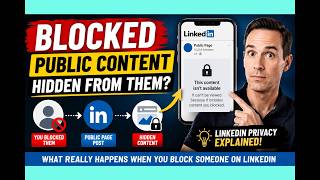
LinkedIn Blocking Broken? My Honest Test Results
18 views