
How to Add New Super Admins to a LinkedIn Company Page (Step-by-Step Guide!) - 2025 Update
Need to add a new super admin to your LinkedIn company page but not sure how? 🤔 In this easy-to-follow tutorial, I’ll walk you through the step-by-step process of assigning super admin roles, managing LinkedIn page permissions, and ensuring the right people have admin access to your business page. 🚀 What You’ll Learn in This Video: ✅ How to assign a super admin on LinkedIn ✅ Managing LinkedIn company page admin roles ✅ How to grant LinkedIn page admin access ✅ Understanding LinkedIn company page permissions ✅ Best practices for LinkedIn page management 💡 Why This Matters: Having the right admins on your LinkedIn business page ensures your company stays active, secure, and properly managed. Don’t risk losing access—learn how to correctly assign and manage admins today! 💬 Got Questions? Drop your questions in the comments! Don't forget to LIKE, SUBSCRIBE, and HIT THE BELL ICON 🔔 for more LinkedIn tips and business growth strategies. How to add super admins to LinkedIn company page LinkedIn company page admin settings How to manage LinkedIn company page admins Add new admin to LinkedIn business page How to give admin access on LinkedIn How to assign a super admin on LinkedIn LinkedIn company page roles and permissions Change admin settings on LinkedIn business page How to give someone admin rights on LinkedIn Step-by-step guide to adding admins on LinkedIn How to add a page manager on LinkedIn LinkedIn company page admin tutorial How to manage LinkedIn business page users LinkedIn company page admin roles explained Can you have multiple admins on a LinkedIn page? Hashtags for YouTube Description #LinkedIn #LinkedInTips #LinkedInMarketing #SocialMediaManagement #LinkedInForBusiness #LinkedInAdmin #LinkedInPage #BusinessNetworking #DigitalMarketing #HowToLinkedIn #LinkedInCompanyPage
🎬 More from LinkedIn Support for Real-World Results

After Years on Quora, I'm Done
5 views

Rapport Sucks
6 views
LinkedIn & YouTube Strategy: 5 Tips for Small Business
14 views
ChatGPT: The Only Tutorial You Need to Get Started
53 views
DDCC SBC- Using YouTube & LinkedIn as Business Tools Webinar - 05/21/26 (AI Version)
17 views
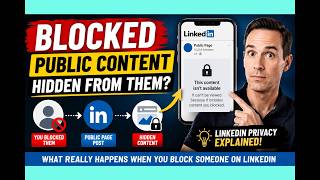
LinkedIn Blocking Broken? My Honest Test Results
18 views