
How to upgrade the firmware of Sony ZV1-II
🛍️ Products Mentioned (26)
Sony ZV1-M2 on Amazon US
Sony ZV1-M2 on Amazon CA
Amazon tech deals
Main camera, Sony ZV-E10
Desktop camera, Sony ZV-1F
B camera, Sony ZV-1
Video capture card Elgato Camlink 4K
Video capture card Kuhaimi 4K
Desktop light, Logitech Litra Glow
Scene lights, Neewer NL288 18"
Tripod K&F concept 78"
Tripod Amazonbasics 60"
Docking station, Minisopuru Displaylink 13 in 1
Main router, Asus RT-AXE7800
Mesh node router, Asus RT-AX3000
Monitor Samsung 32" 4K UJ59
Monitor Philips 27" FHD 271E1S
Monitor, ViewSonic 32" VX3211-4K
Speakers, Edifier G5000
Webcam Logitech C920X
Desktop mic, Maono PD200X
Wireless lavalier mic, Maono WM820-A1
Mic boom arm, Samson MBA 28"
Electric height adjustable desk, SHW 55"
NVMe drive, Crucial P5 Plus 2TB Gen4
NVMe drive, Timetec MS12 2TB Gen3
Sony ZV1-M2 on Amazon US: https://amzn.to/3Fu6BAh Sony ZV1-M2 on Amazon CA: https://amzn.to/3XVGbO7 In this video, I will walk you through the steps on how to upgrade the firmware on your Sony ZV-1 II camera. This is a simple process that can be done in a few minutes. Amazon tech deals: https://amzn.to/3VgqUU8 As an Influencer, I earn from qualifying purchases a small percentage at no cost to you. This will support my channel. Thank you. ----------------------------------------------------------------------------------------- ✅ Subscribe to my channel, it really helps: https://www.youtube.com/c/Stuffaroundthehouse?sub_confirmation=1 --------------------------------------------------------------------- My gear Amazon affiliate links: - Main camera, Sony ZV-E10: https://amzn.to/3qkTcTk - Desktop camera, Sony ZV-1F: https://amzn.to/3yaYzbE - B camera, Sony ZV-1: https://amzn.to/42dgckw - Video capture card Elgato Camlink 4K: https://amzn.to/3Y9lSKu - Video capture card Kuhaimi 4K: https://amzn.to/3Z8oh9A - Desktop light, Logitech Litra Glow: https://amzn.to/3kwvp0r - Scene lights, Neewer NL288 18": https://amzn.to/3IucYkU - Tripod K&F concept 78": https://amzn.to/3IzEcXf - Tripod Amazonbasics 60": https://amzn.to/3Z5mYZ5 - Docking station, Minisopuru Displaylink 13 in 1: https://amzn.to/3F6c0ur - Main router, Asus RT-AXE7800: https://amzn.to/4dm0Zo9 - Mesh node router, Asus RT-AX3000: https://amzn.to/3J0W7Ym - Monitor Samsung 32" 4K UJ59: https://amzn.to/3SCSY49 - Monitor Philips 27" FHD 271E1S: https://amzn.to/3xZ6XIg - Monitor, ViewSonic 32" VX3211-4K: https://amzn.to/3QvA6V3 - Speakers, Edifier G5000: https://amzn.to/3PORp3i - Webcam Logitech C920X: https://amzn.to/3KDCiHU - Desktop mic, Maono PD200X: https://amzn.to/4637fwQ - Wireless lavalier mic, Maono WM820-A1: https://amzn.to/3IFiZLP - Mic boom arm, Samson MBA 28": https://amzn.to/3ZdaRcj - Electric height adjustable desk, SHW 55": https://amzn.to/3ZsLeUB - NVMe drive, Crucial P5 Plus 2TB Gen4: https://amzn.to/3P9xBHr - NVMe drive, Timetec MS12 2TB Gen3: https://amzn.to/45rWZ0X --------------------------------------------------------------------- 00:00 Intro & video topics 00:06 Step 1: Check camera's current firmware version 00:41 Step 2: Format the SD card 01:26 Step 3: Download the new firmware 02:38 Step 4: Copy the firmware to the SD card 03:47 Important precautions 03:47 Step 5: Updating the firmware --------------------------------------------------------------------- Follow me on Facebook: https://www.facebook.com/stuffaroundthehouse --------------------------------------------------------------------- Disclaimer: This video is for entertainment purposes only. Use the instructions in this video at your own risk. We are not responsible for any loss, injuries or other damages that may occur. The opinions in this video are only mine and are from my own experience with the product This video demonstrates how to upgrade the firmware on the Sony ZV-1 II camera. Firmware updates can enhance performance but carry risks if done incorrectly. Proceed at your own risk. If unsure, consult Sony support or a professional. I am not responsible for any damage or issues resulting from this process. Follow official instructions and update carefully. Thank you for watching! @Sony @ImagingbySony
🎬 More from Stuff around the house
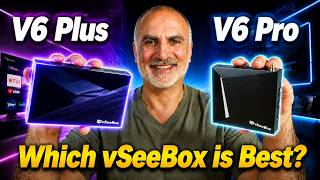
vSeeBox V6 Pro vs V6 Plus | Which is the better TV Box for YOU?
207 views

This Portable Fan Blasts COLD MIST! — Aecooly PM02 Misting Fan Review
201 views

Best HDMI 2.1 Cable? Silkland 8K Review in 2 Minutes
162 views

Fix a Punctured Tire at Home | DIY Tire Repair Kit Step-by-Step
139 views

GOOLOO A5 Review & Test – 4-in-1 Jump Starter, Tire Inflator, Power Bank & Emergency Light
222 views

This Sundpey DIY Toolbox Has Everything You Need
251 views