
AI Controlled TV? Home Assistant Makes it Happen!
🛍️ Products Mentioned (1)
Turn your home theater into a hands-free, AI-powered experience with Home Assistant. In this video, I’ll show you how to train AI to control your TV, shuffle shows, and automate your lights—all with your voice and some creative automations. 📺 Smart TV & Media Automations: 🔘 🎬 Lights auto-dim when playing content & gently brighten when paused. 🔘 🎨 Hue Sync activates for immersive lighting effects when a movie starts. 🔘 🗣️ Ask AI to "Shuffle MASH"*, "Play next episode of The White Lotus", or "Play a random episode of The Big Bang Theory". 🔗 📝 Shuffle Shows YAML script: https://gist.github.com/mediacutlet/fe3d20279e97b87c20631b109305683b Chapters 00:00 Introduction 00:48 PleX Home Assistant AI Shuffle Content Demo 02:17 Automation/Script Flow-chart 03:27 Step-by-Step Script Building 07:10 Closing Thoughts If you love smart home automation, hit like & subscribe for more AI-powered home tech! Need help setting this up for yourself, drop a comment! 👇
About This Video
Frequently Asked Questions
🎬 More from StratoBuilds
Home Assistant Powers My Adaptive Office: No LLM Required
10.0K views
Home Assistant AI Camera Event Summaries + Reolink Argus 4 Pro Review
12.3K views

Tamagotchi’s Hacker Cousin: What’s a Pwnagotchi?
2.0K views

Run a Local LLM: Ollama + Home Assistant
81.0K views
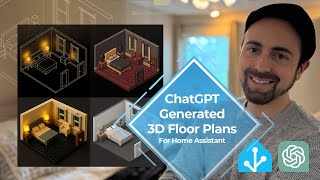
3D Home Assistant Floorplan Dashboards Using ChatGPT
28.8K views
Home Assistant Bed Sensor with WLED + LLM Reminders
12.2K views