
Your Laser Settings Are a Hot Mess! Here's the Quick Fix!
🛍️ Products Mentioned (2)
Struggling to find the right laser settings for a new material? You’re not alone. In this video, I walk you through my full step-by-step process for dialing in the perfect laser engraving and cutting settings—without wasting time, material, or money. Whether you’re using a diode, CO₂, or Galvo fiber laser, I’ll show you how to test speed, power, frequency, and Q-pulse (if applicable), and how to build your own material library in Lightburn so you never have to guess again. This is the essential guide for makers, crafters, and small workshop owners who want reliable, repeatable results and a more professional workflow. Perfect for new laser owners looking to master materials and maximize efficiency from day one. ►►►► SOCIAL MEDIA • Channel Membership ➭ https://www.youtube.com/@SteveMakesEverything/join • Instagram ➭ @slicedpidesign • Facebook ➭ https://www.facebook.com/SteveMakesEverything • my business site ➭ https://www.slicedpi.design • my Etsy store ➭ https://slicedpidesign.etsy.com • email ➭ stevemakeseverything@gmail.com (business inquiries) #makersgonnamake #maker #laserengraver #laserengraving #laserengravingmachine #lasercutting
🎬 More from Steve Makes Everything
#ShopTalkLive | www.ShopTalkLive.Live | Weekly Wednesday Night Live Q&A Ep118
467 views

Santa and the Maker Livestream
350 views
#ShopTalkLive | www.ShopTalkLive.Live | Weekly Wednesday Night Live Q&A Ep117
353 views
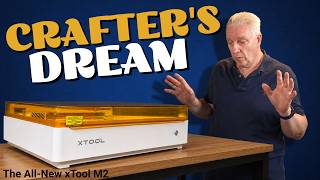
Your Crafting Just Got Simpler | The New xTool M2 Tested
40.0K views
#ShopTalkLive | www.ShopTalkLive.Live | Weekly Wednesday Night Live Q&A Ep116
349 views
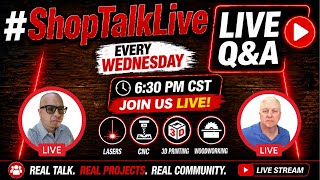
#ShopTalkLive | www.ShopTalkLive.Live | Weekly Wednesday Night Live Q&A Ep115
444 views