
BEGINNER Laser Engraving and cutting tutorial with the Sculpfun S9
🛍️ Products Mentioned (43)
Sculpfun S9 5.5 Watt
Music from Uppbeat (free for Creators!)
Australian
Non Australian
Etsy
Sculpfun S30 Pro Max 20 Watt
Sculpfun Extension Kit
Sculpfun Rotary
Sculpfun Air Assist Upgrade
Makita Brushless Drill Driver
Makita Impact Driver
Bosch Jigsaw
Ryobi Palm Router
Kreg Pocket Hole Jig
Clamps
Triton Router
Glue
Canon EOS R
Canon 15-35mm Lens
Manfrotto Tripod
Manfrotto Ball Head
Manfrotto Movie Head
Rode Lav Mic
Rode Mic Receivers
Voice Over Mic
Makita Miter Saw
Makita Brushless Drill Driver
Makita Impact Driver
Bosch Jigsaw
Ryobi Palm Router
Kreg Pocket Hole Jig
Clamps
Glue
Canon EOS R
Canon 15mm-35mm Lens
Manfrotto Tripod
Manfrotto Ball Head
Manfrotto Movie Head
Rode Lav Mic
Rode Mic Receivers
Voice Over Mic
Sculpfun S10
DISCLAIMER: Please do not use Galvsanised Metal with your laser. It emits toxic fumes and is not recommended. I did not know this at the time of viewing and was given incorrect information. I have since leant this is not a material to be used with a laser. This week I'm diving into the world of Laser Engraving and cutting with the Sculpfun S9. This video is designed to help anyone who is a total beginner or amateur and looking to get into Laser engraving or cutting. The video will walk you through the steps of setting up the Sculpfun S9 and the process to install LIght burn along with test engraves and settings. With this video you should be up and running within the day. Below are helpful tips about framing, starting points and videos I used to get going. Check out what tools and gear I in the Small Fry Workshop: Australian: https://benable.com/Smallfrycreations/woodworking-tools Non Australian: https://benable.com/Smallfrycreations/non-australia-small-fry-creations Sculpfun S9 5.5 Watt: https://shrsl.com/4li4t Sculpfun S30 Pro Max 20 Watt: https://shrsl.com/41kuh Sculpfun Extension Kit: https://shrsl.com/41kuj Sculpfun Rotary: https://shrsl.com/41kul Sculpfun Air Assist Upgrade: https://shrsl.com/41kuo Sculpfun S10: https://shrsl.com/41kut Helpful Videos: Installing Lightburn onto a Mac: https://www.youtube.com/watch?v=nH3rSbmn-H4 Testing print settings: https://www.youtube.com/watch?v=bQTFEv7uGn0&t=398s DIY Laser Cutting Bed: https://www.youtube.com/watch?v=yfT4usprJi0&t=175s Starting Position, origins - https://www.youtube.com/watch?v=FPZ3MnyyQ-s&t=47s - Skip Ahead 0:00 - Intro 1:04 - Unboxing and construction 2:22 - Software install 3:53 - Test engrave 7:33 - Logo Engraving 9:05 - Logo Cutting 3mm plywood 12:16 - Logo Cutting 10mm 13:29 - Quick Tip 1 14:01 - Quick Tip 2 15:34 - Quick Tip 3 16:08 -Wrap Up --------------------------------------------------------- Happy building and if you like to stay up to date with what I'm currently working on be sure to follow me on social. Facebook: https://www.facebook.com/smallfrycreationsanddiy Instagram: https://goo.gl/bWWnQe Etsy: https://www.etsy.com/au/shop/SmallFryCreationsAU _______________________________________________ Amazon Affiliate Links for Tools and Gear I use AUSTRALIA: Tools - Makita Brushless Drill Driver: https://amzn.to/3u7x1NJ - Makita Impact Driver: https://amzn.to/3nzXTU2 - Bosch Jigsaw: https://amzn.to/3t4JAI8 - Ryobi Palm Router: https://amzn.to/3aLHEOz - Kreg Pocket Hole Jig: https://amzn.to/3e0Y5si - Clamps: https://amzn.to/3vq5VRW - Triton Router: https://amzn.to/3gPyoNh - Glue: https://amzn.to/3t6iiRy Camera Gear - Canon EOS R: https://amzn.to/3uvfqiV - Canon 15-35mm Lens: https://amzn.to/33wHc2p - Manfrotto Tripod: https://amzn.to/33ny1l9 - Manfrotto Ball Head: https://amzn.to/3etRK96 - Manfrotto Movie Head: https://amzn.to/3o2BaA7 - Rode Lav Mic: https://amzn.to/2Ryzwu7 - Rode Mic Receivers: https://amzn.to/3etn9rY - Voice Over Mic: https://amzn.to/3nVRIdd USA - Makita Miter Saw: https://amzn.to/3u7L1XB - Makita Brushless Drill Driver: https://amzn.to/333eWEG - Makita Impact Driver: https://amzn.to/3u7LdGj - Bosch Jigsaw: https://amzn.to/3eFvVlP - Ryobi Palm Router: https://amzn.to/3e6T0Pj - Kreg Pocket Hole Jig: https://amzn.to/3t2Yij2 - Clamps: https://amzn.to/3gQwlZd - Glue: https://amzn.to/3t7zuX3 Camera Gear - Canon EOS R: https://amzn.to/3ham36l - Canon 15mm-35mm Lens: https://amzn.to/3eVittW - Manfrotto Tripod: https://amzn.to/3xVsxMp - Manfrotto Ball Head: https://amzn.to/3bbhyot - Manfrotto Movie Head: https://amzn.to/3f66Pwq - Rode Lav Mic: https://amzn.to/2RxYSZ4 - Rode Mic Receivers: https://amzn.to/33rFnUK - Voice Over Mic: https://amzn.to/2RB5Pbw FTC Legal Disclaimer - Some links found in the description box of my videos may be affiliate links, meaning I will make commission on sales you make through my link. This is at no extra cost to you to use my links/codes, it's just one more way to support me and my channel! :) MUSIC: –––––––––––––––––––––––––––––– Music from Uppbeat (free for Creators!): https://uppbeat.io/t/hartzmann/clear-sky License code: ONWB97JJ0WICCQ6V ––––––––––––––––––––––––––––––
🎬 More from Small Fry Creations
The Ultimate Miter Saw Station: 10 Years of Problems SOLVED
1.7K views
STOP Renting! DIY Folding Wedding Shot & Champagne Wall: Step by Step guide Build (Save Hundreds!)
2.3K views
Testing the eufyMake UV Printer E1 | UV Printing for Beginners
11.6K views
Light Weight Drawer Hack: DIY Drawers with Aluminium Tubing & 3D Print Frame
3.5K views
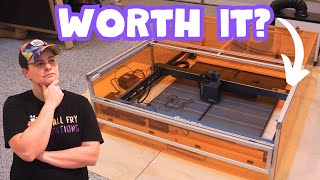
Sculpfun S70 Max reviewing and testing features | Do you need a 70W Laser?
8.4K views
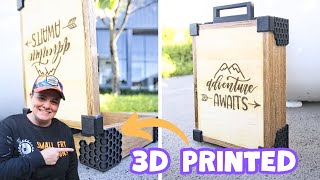
5 Years of SKILL BUILDING in ONE Amazing Travel Box! Making every component!
1.8K views