
Beginners Guide: Learn To Edit a Video In Adobe Premiere In UNDER 10 MINUTES
🛍️ Products Mentioned (1)
Learn how to edit videos - LIKE A BOSS - in Adobe Premiere in UNDER 10 MINUTES! Keyboard Shortcuts: Space Bar = Play (when timeline selected) Space Bar = Play (when source is selected) C = cut/blade tool V = arrow tool (to select and move things around) I = In point (in source monitor or timeline) O = Out Point (in source monitor or timeline) CTRL M = Export Media (when timeline selected) ================ Table of Contents: ================ 0:00 Opening 0:30 What You'll Learn 0:50 Setting Up Your Project 1:32 Arranging Your Workspace 2:00 What Are These Windows 2:40 Adding Video Files 3:06 In and Out 3:40 Adding To Your Timeline 4:30 About Layers 5:12 Adjustment Layers 6:03 Adding Effects 6:25 Splicing 6:45 Exporting 7:17 Wrap Up ---- Want to keep this channel alive? Support it by clicking below: https://www.patreon.com/shawnshaman Like, Comment, Subscribe, and Share! Stalk me on Instagram and Twitter: www.instagram.com/shawnshaman www.twitter.com/shawnshaman #AdobePremierePro #PremiereTutorial #AdobeTutorial -~-~~-~~~-~~-~- We've tested it - the video is live. What is the best camera of 2021 - click the link below to find out! https://www.youtube.com/watch?v=Ap-aBaXGDo4 -~-~~-~~~-~~-~-
🎬 More from Shawn Shaman
AYN Thor Review: This Changes Everything #retrohandhelds #aynthor #gaminghandheld #gaming
751 views

AYN Thor - More than a Retro Handheld? Should You Purchase It?
922 views
Rear Screen For Your Tesla Model 3 / Y With Climate Control Review
1.4K views
Is This The Best Lens For Your Sony Camera? #LensReview #Viltrox #Nifty50
1.8K views
Nothing Ear (Stick) Announcement Breakdown
291 views
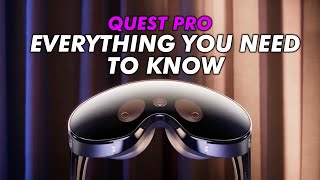
Meta Quest Pro Announced - Here's Everything You Need To Know
449 views