
Microsoft Word Tips & Tricks to Save Time - Part 1
🛍️ Products Mentioned (4)
TIME SAVING TIPS AND SHORTCUTS IN MICROSOFT WORD // Auto Populate Current Date, Select and Delete Text Quickly, Enable Document Protection. See how to precisely select text, quickly delete text, insert a date that automatically updates, and access document protection and security features. Click the link below to download Top Microsoft Word Tips for HR Professionals for these and other time-saving tricks and short-cuts in MS Word. 1) Select Text Quickly • Double-Click a word to select it • Press CTRL and click a word to select the entire sentence • Triple-Click a word to select the entire paragraph 2) Delete Text Quickly • Hold the CTRL key while hitting Backspace Result: Deletes a word at a time (quicker than Backspace alone!) 3) Auto-Update the Date & Time • Place cursor where you want the date to appear and go to Insert - Date & Time (under “Text” section) - select your desired format, and check the box to “Update automatically” Result: That date will update automatically every time you open or print the document (great for template letters, fax cover sheets, etc.) 4) Protect Your Word Document • Click File - Info - Protect Document Result: From here you can manage viewing and editing permissions, encrypt with a password, etc. __________ FREE DOWNLOADS: ✦ Visit https://mailchi.mp/cc54566c54bd/sharonsmithhr_mswordtips to sign-up for my e-mail list and get FREE downloads including Top Microsoft Word Tips for HR Professionals. __________ CONNECT WITH ME: Visit my website: https://www.sharonsmithhr.com for more information, tools and resources. LinkedIn: https://www.linkedin.com/in/sharonsmithhr Twitter: https://twitter.com/SharonSmithHR __________ NOTE: If you found this content helpful, please consider donating to my channel from this PayPal link: https://www.paypal.com/cgi-bin/webscr?cmd=_s-xclick&hosted_button_id=AJJ6SXERNDMYA&source=url. Your donation, no matter what amount, is greatly appreciated and goes towards producing content that enhances your productivity and elevates your skills. Thanks for supporting this channel! __________ RESOURCES: I use clip art and templates from PresenterMedia and I highly recommend them. They have an amazing selection and excellent terms. Here is an affiliate link: https://shareasale.com/r.cfm?b=417324&u=2065055&m=43706&urllink=&afftrack= Some links included here are affiliate links. If you click on these links and make a purchase, I may earn a small commission at no additional cost to you. Thanks for supporting this channel! __________ KEYWORDS: #MSWord, microsoft word tutorial, select text quickly, delete text in word, insert date to auto-update, protect word document, enable security, enable password, Sharon Smith HR, @SharonSmithHR __________ PLAYLISTS: ➤ Excel Tutorials for HR: https://www.youtube.com/playlist?list=PLb80efKTbWuNjHDGgNeuGrGwOvh4JQC90 ➤ Excel Quickies (Around 2 Minutes): https://www.youtube.com/playlist?list=PLb80efKTbWuPI7fEWtroXHvJHhx5FnVMW ➤ Word Tutorials for HR: https://www.youtube.com/playlist?list=PLb80efKTbWuMotoYEXBFMlB3PtsBlFn45 ➤ PowerPoint Tutorials for HR: https://www.youtube.com/watch?v=XBl4hDLjtiI&list=PLb80efKTbWuMcFRbsZO5wkXgYjBG4meRM ➤ For HR Professionals: https://www.youtube.com/watch?v=5FxsWiqtXR4&list=PLb80efKTbWuNk9PyISH2lxRI0JBekYANI ➤ For Job Seekers: https://www.youtube.com/watch?v=PVjc-NUn0mo&list=PLb80efKTbWuNB9ex-F50NRgt_V26U9UPx ➤ Welcome | About Me: https://www.youtube.com/playlist?list=PLb80efKTbWuOd17uW4U2V8Xip0sTAfkLR
🎬 More from Sharon Smith

Excel Invoice Template That Auto-Fills Client Data (XLOOKUP Tutorial)
1.5K views

5 Excel Mistakes That Break Your Data Imports (Fix These First!)
375 views
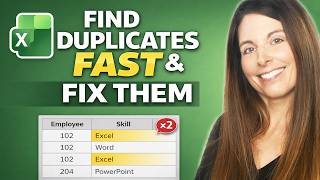
How to Find Duplicates in Excel Fast and Fix Them! (PivotTables and COUNTIFS Trick)
2.4K views

Restart Sequential Numbering in Excel When a Value Changes - Auto Reset Numbers in a List
1.0K views

Automatically Mass-Create Client Billing Statements and Generate Emails in Bulk from Excel
669 views

Build an Interactive Excel HR Dashboard with PivotTables & Slicers for Quarterly & YTD Metrics
3.5K views