
How to Analyze Data Using IF Function in Excel
🛍️ Products Mentioned (3)
HOW TO ANALYZE DATA USING THE IF FUNCTION IN EXCEL // A very popular function in Excel is the IF function that returns one result if a statement is "true" and a different result if a statement is "false." Use the IF function when you have data in a column that you want to audit. This video's example shows you how to flag everyone whose salary is under a certain amount by saying IF the salary is over $100K, THEN mark as highly compensated, however, IF the salary is under $100K, THEN mark as needing an audit. Here is how the IF function works: =IF(logical_test, [value_if_true],[value_if_false]) HINT: When you want Excel to return a "text" value, use quotes "_" Likewise when you want the IF function to recognize a logical test with "text" use quotes in your formula. Numbers and cell references don't need quotes. So the example in this video uses the following (I can't type angled brackets in YouTube descriptions, so I spelled out greaterthan rather than using the symbol in the actual formula): =IF(A2greaterthan100000,"Highly Comp","Audit") By using this IF statement, I am able to create a column that recognizes anyone whose salary is over $100K by placing "Highly Comp" in the cell, therefore any salary not greater than $100K is marked as "Audit." __________ FREE DOWNLOADS: ✦ Visit https://mailchi.mp/6a0859ea0844/sharonsmithhrformulasdownload to sign-up for my e-mail list and get FREE downloads of super helpful spreadsheet formulas, dashboards and Org Chart templates for HR professionals. __________ CONNECT WITH ME: Visit my website: https://www.sharonsmithhr.com for more information, tools and resources. LinkedIn: https://www.linkedin.com/in/sharonsmithhr Twitter: https://twitter.com/SharonSmithHR __________ RESOURCES: I use clip art and templates from PresenterMedia and I highly recommend them. They have an amazing selection and excellent terms. Here is an affiliate link: https://shareasale.com/r.cfm?b=417324&u=2065055&m=43706&urllink=&afftrack= __________ NOTE: Some links included here are affiliate links. If you click on these links and make a purchase, we may earn a small commission at no additional cost to you. Thanks for supporting this channel! __________ KEYWORDS: #MSExcel, microsoft excel tutorial, IF Function, Excel IF Function, how to audit spreadsheet in excel, IF statement, IF statement in Excel, using IF function in Excel, Sharon Smith HR, @SharonSmithHR __________ PLAYLISTS: ➤ Excel Tutorials for HR: https://www.youtube.com/playlist?list=PLb80efKTbWuNjHDGgNeuGrGwOvh4JQC90 ➤ Excel Quickies (Around 2 Minutes): https://www.youtube.com/playlist?list=PLb80efKTbWuPI7fEWtroXHvJHhx5FnVMW ➤ Word Tutorials for HR: https://www.youtube.com/playlist?list=PLb80efKTbWuMotoYEXBFMlB3PtsBlFn45 ➤ PowerPoint Tutorials for HR: https://www.youtube.com/watch?v=XBl4hDLjtiI&list=PLb80efKTbWuMcFRbsZO5wkXgYjBG4meRM ➤ For HR Professionals: https://www.youtube.com/watch?v=5FxsWiqtXR4&list=PLb80efKTbWuNk9PyISH2lxRI0JBekYANI ➤ For Job Seekers: https://www.youtube.com/watch?v=PVjc-NUn0mo&list=PLb80efKTbWuNB9ex-F50NRgt_V26U9UPx ➤ Welcome | About Me: https://www.youtube.com/playlist?list=PLb80efKTbWuOd17uW4U2V8Xip0sTAfkLR
🎬 More from Sharon Smith
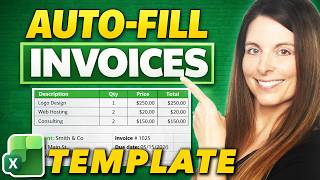
Excel Invoice Template That Auto-Fills Client Data (XLOOKUP Tutorial)
1.5K views

5 Excel Mistakes That Break Your Data Imports (Fix These First!)
375 views
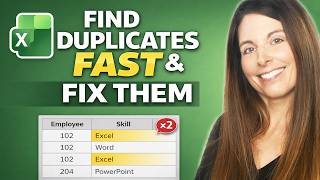
How to Find Duplicates in Excel Fast and Fix Them! (PivotTables and COUNTIFS Trick)
2.4K views
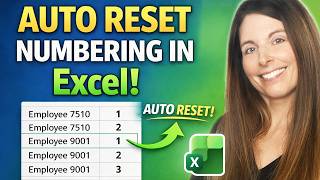
Restart Sequential Numbering in Excel When a Value Changes - Auto Reset Numbers in a List
1.0K views
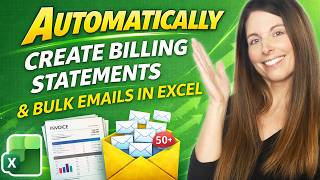
Automatically Mass-Create Client Billing Statements and Generate Emails in Bulk from Excel
669 views
Build an Interactive Excel HR Dashboard with PivotTables & Slicers for Quarterly & YTD Metrics
3.5K views