
APIs Made Easy in Power Apps (Use Any API + ParseJSON)
🛍️ Products Mentioned (2)
If APIs have ever felt confusing or out of reach, this is the video that changes that. You are going to learn how to call ANY API from Power Apps, return raw JSON, and turn it into clean, usable data using ParseJSON. This walkthrough keeps things practical. You will start with a real example, use a Power Automate flow with the HTTP action, and then bring that data back into your canvas app. From there, you will break down JSON in a way that actually makes sense and use Power FX to shape it into something your app can use. By the end, you will be comfortable working with APIs in Power Apps, even if you have never touched JSON before. What you will learn: - How to call an API from Power Apps using a flow - How to work with raw JSON responses - How ParseJSON works in Power FX - How to convert untyped data into clean collections - How to pass parameters to your API - How to build more dynamic, real-world apps with external data Up your Power Apps Skills Today! https://www.powerapps911.com/up-your-power-apps-skills 0:00 APIs for Power Apps 0:41 Example Gallery 1:15 DummyJSON 3:34 Use flow with HTTP action from Power Apps 7:20 Saving the flow JSON into a variable 8:30 Understand JSON syntax 9:46 ParseJSON Power FX and Data Types 16:54 Putting the data in a clean collection 20:08 Adding parameters in flow to the API 26:34 Power Apps inputs for the flow API Let's connect! https://www.powerapps911.com/shane Join this channel to get access to perks: https://www.youtube.com/channel/UC7_OGRP8BYvtGB8eZdPG6Ng/join #powerapps #PowerPlatform #CanvasApps #powerautomate
🎬 More from Shane Young

Hands-on with Microsoft Scout - New from Microsoft Build
5.7K views

Control Email File Chaos - Use Power Automate, with AI and SharePoint
1.6K views

Are you using the right Power Apps Variables
2.6K views

Breaking News for Power Platform Lovers Everywhere
6.2K views

Stop Repeating Yourself - Build Custom Skills in Copilot Cowork
4.7K views
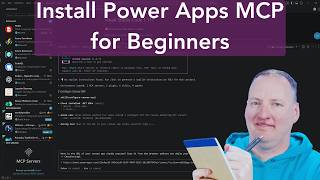
Install and Configure Power Apps MCP
11.3K views