
Adobe Student Verification Process 2025 to 2026 | Adobe Creative Cloud At Just ₹499 Student Plan
Adobe Student Verification Process 2025 to 2026 | Adobe Creative Cloud At Just ₹499 Student Plan | Adobe Student Subscription | Adobe Student Discount India In this video, we’ll show you how to get Adobe Creative Cloud at just ₹499/month with the Student Plan — updated for 2025 to 2026! If you're a student in India, you can unlock the entire Adobe suite including Photoshop, Premiere Pro, After Effects, Illustrator, and more at a massive discount. We’ll walk you through the new student verification process step-by-step, whether you have a valid college email or need an alternative method for verification. This guide covers eligibility, required documents, how to sign up, and tips to avoid rejection. Whether you're a design student, video editor, or just starting out, this plan gives you professional tools at a student-friendly price. Don’t miss this opportunity to access Adobe's premium apps for just ₹499/month (instead of ₹4,230+). Watch till the end for bonus tips. Subscribe for more student discounts and tech deals. #AdobeStudent #AdobeCreativeCloud #StudentDiscount #PhotoshopIndia #Adobe499Plan #AdobeIndia Thanks For Watching....
About This Video
Frequently Asked Questions
🎬 More from Sahil-R Guide

N8n Self Host Using Hostinger & Create Own Proxy Server Using the VPS | N8n Complete Setup Guide
182 views

Apple Student Offer 2026 | Get Education Discount on New Apple Products ( MacBook Neo ) UNiDAYS
2.7K views

Use Super Grok For Unlimited Ai Video Creation Free of Cost | Super Grok Better Than VEO 3 ?
5.3K views

Gemini Ultra 45K Vs Pro 1K Ai Credits | Flow ( VEO 3.1 ) 4K Videos And Nano Banana Pro 4K images
12.9K views

Get Gemini 3 Flash Google Ai Pro 12 Month FREE | Google VEO 3.1 Access ( Fast And Easy Process )
19.3K views
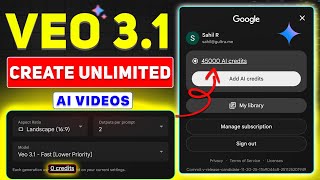
VEO 3.1 Create Unlimited Videos Free 1080P Full HD Quality | Google Ai Ultra Plan Flow 45k Credits
29.6K views