
Is this your channel?
Quest 2
Quest 2
Quest 2 is where emulation turns into an experience rather than just a way to play games—especially with EmuVR. It’s the ultimate immersion option because you’re sitting in a virtual bedroom with a CRT, loading cartridges, and wiring up consoles like it’s the old days, but it does need a PC connection and a bit of setup.
Pros
- +Incredible immersion for retro gaming when paired with EmuVR
- +Multiple input options: hands, VR controllers, or a connected gamepad
- +Makes retro gaming feel like playing on a classic CRT setup
- +One of the most fun nostalgia experiences you can do in VR
Cons
- -Requires PC connection for EmuVR
- -More involved setup process than handheld options
- -Visual fidelity is limited because you’re viewing a virtual screen inside the headset
What Rush Reality says
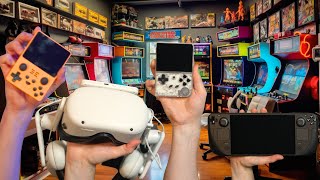
“hi everyone welcome to rush reality thank you so much for joining me now I've been on a bit of Journey lately I've had that real feeling of nostalgia and wanted to pull out some retro games so I've dived headfirst into emulation now I've got a few experiences I want to talk you through because I've had a really good time we're going to kick off with a couple of handheld systems that might be small but are really impressive then we're going to kick it up a gear with the steam deck for some very powerful handheld gaming and lastly we're gonna go for the ultimate immersion experience pulling out the Quest 2 to see just how visually impressive things can get when you put them on a VR headset right so the first device I want to show you is this little thing this is the Anne Barrick rg35xx now this is really cool it looks like a little Game Boy it even Feels Like A Little Game Boy very similar form factor it's got a couple of shoulder buttons on the back but apart from that pretty much the design of the old school game boy but this thing isn't running just Game Boy games we're talking Game Boy Game Boy Color Game Boy Advance Nintendo Super Nintendo Sega Mega Drive my PlayStation even arcade games this thing is really really impressive for its size and I think the form factor is pretty much perfect for those kind of games and the user experience is just so good with this kind of machine It generally comes pre-packaged with over 2 000 Games built in nothing you need to do all of the ROMs are already in place now I don't know how they manage that legally I'm sure there are a lot of rules bent or even broken but I think it's one of those cases where you ask no questions and just take it as a win the specs of this thing are pretty good the screen itself is fantastic it's got a little 3”
“it just goes on and on and on each console is packed with experiences battery life is very similar to what we saw on the amberic about four to six hours depending on how high you have the brightness the screen again looks absolutely fantastic same screen size to what was on the previous device still IPS still just as bright just as vibrant these games look fantastic I do prefer the layout of the operating system on this I like the way that they've got a bit of art next to each choice of console and when you click through to the game it still is in that massive order but there is a search function you've still got your favorites and it all just looks a little bit prettier but the operating system does have some of his own quirks if you touch the power button turn it on off it looks like it's off it loads a goodbye message you think it's gone it's all gone black but it's really draining your battery and in fact the only way to really turn it off is to hold down the off button for 10 seconds and then there's a very small LED down here that turns off and then you're good now I should say that both the power Kitty and the Anne Beric have custom firmwares that you can load onto it they're made by the community and are supposed to really Elevate the experience but I wasn't that distressed by the experience and I quite enjoyed these being Plug and Play jump in and just enjoy playing these really cool games so there we have two great experiences but those are for playing your really old school game what if you wanted to run all your games that aren't current gen right up to the really recent really impressive stuff well that is where the steam deck comes in now the steam deck emulation experience is absolutely fantastic and it's got so much easier over the last year there's an app called emu deck which is almost down to a one-click process to load up a really impressive emulation system on your console when it's all built in it uses retro Arch through emulation station to play all sorts of games including GameCube you've got your old school Super Nintendos n64s PlayStation PlayStation 3 even Nintendo Wii and Nintendo switch can be built onto this thing and of course the screen looks fantastic it's very very comfortable to hold all of the buttons are in exactly the right places you can play for hours and hours on this thing without ever getting tired it's set out really well I love this menu screen where you can just click through each different console you get a really really good image a representation of how many games you've got running on there really really impressive it's got all of those Comfort upgrades that we spoke about earlier but it's got none of those little niggly OS problems because this has been designed fantastically there's been numerous updates in fact I probably need to update this again but I've just had no issues whatsoever now the steam deck itself doesn't get fantastic battery life so you're not going to be able to play as long as you would be on some of those older systems but if you know how to manage it you can really make the most of that if you ensure that you're using the right brightness if you cap your frame rate I often used to cap it around 45 frames per second on some games that didn't need that higher frame rate and I would get a really smooth experience it's really not tasking on the CPU to run most of these games so it's not going to be pulling as much power as it is on a standard PC game everything just looks so sharp it's so enjoyable to play with but it does require a lot more tinkering than the previous two options this doesn't come loaded with any games whatsoever so you're going to need to load up your own ROMs now you might already have a collection of ROMs I've already got a collection on my PC that's built up over the years but if you haven't then you're going to need to go and find some yourself now I'm not going to tell you where to go and find those because that's where things can get a bit dodgy but Google is your friend the designs are fantastic so that they can make sure you get the correct aspect ratio for when you're playing the games you'll have these little frames that look like the Contour you're playing on so for example here I've got Super Mario World and you can see you've got that kind of housing from the Super Nintendo around it it looks so cool to play and it means that nothing is stretched badly or looks wrong on your screen so that is your handheld emulation but what if you really want to tickle that Nostalgia bone well then you need the ultimate immersion and that is where the Quest 2 comes in now the Quest 2 can be an emulation monster the best experience I've had with it is on mu VR now muvr requires connection to a PC it doesn't need to be a particularly powerful PC because we don't need to focus on running high-end recent games we're going to run the kind of retro systems we've seen earlier but we're going to do it in a really really cool way now muvr loads you back into your teenage bedroom with a CRT and all your old school consoles placed around the room and they do it so well I just get such a warm feeling in my stomach as soon as I power this thing up this will be your most involved one to set up there's quite a few steps to get mevr loaded properly onto your console and again you're going to need to Source those ROMs yourself but once you've done that the experience is amazing what you would do is you will load those ROMs into your room and you'll do that by loading the actual cartridges into your room you'll then pick up that cartridge put it into the console you'll connect the console to the TV and you will fire it up it is awesome you really feel like you're playing on an old-school CRT TV now because you're playing on a quest 2 and the actual screen you're looking at is only a small portion of that screen the content isn't going to be of the highest quality but the experience is kind of amazing now there's a number of ways you can play here you can pick things up directly with your hands you can play with your VR controllers you can even connect the controller to the PC and play as if you're playing on a Gamepad and I think different systems are better suited to a different method of interaction for example if you're playing a PlayStation or a Nintendo 64 game then it's quite enjoyable to play on your VR controller you can relax your hands down by sides all the buttons are nicely placed on each hand where they could be but if you're going for a real old school gaming experience something like Mario or sonic then you're going to need a tactile directional pad that you don't have on the VR controllers I'd connect something like a PlayStation controller or an Xbox controller or if you want to go Whole Hog you can buy something like the 8-Bit dough retro controller that really make you feel like you're playing an old school console the immersion level is insane here you really feel like as you pick up that cartridge you're going to need to blow on it to make sure it works before you put it in your console scattered around your room you've got pizza boxes an old style chocolate bars it looks so cool I'm telling you if you haven't jumped into muvr this is one of the most fun things you can do on a VR headset you're gonna love this you can really deck your room out you can apply custom artwork to the front of each game you can stick posters up around your room you can even design the bed to set it up just like it was your teenage bedroom back in the past I've really done that myself yet because I was more concerned jumping into the games and having a fun but I have seen some awesome setups from other people on muvr so you really can do some impressive stuff so there you have it those are some awesome ways to emulate your old retro game starting off with some affordable but impressive handheld consoles onto the steam deck for some really powerful stuff and then onto the Quest 2 for that ultimate immersion now if you enjoyed that video a like and be appreciated and a sub to the channel would be amazing I'd love to see you next time thank you very much goodbye [Music] foreign [Music]”
Featured in 2 videos
Quest 2
Available on Amazon
External purchase
Highlights
- +Incredible immersion for retro gaming when paired with EmuVR
- +Multiple input options: hands, VR controllers, or a connected gamepad
- +Makes retro gaming feel like playing on a classic CRT setup
Recommended by
Rush Reality