
This One Feature Just Made Riverside's Editor So Much Better!
🛍️ Products Mentioned (15)
Try Riverside for FREE
Our Blog
iPhone and iPad
Android
Captions
Checklist for Your Interview Guests
Best Podcast Equipment for All Budgets
X Product
Transcribe Audio File
Create Vertical Reels
Transcribe Video File
⎙ Free Teleprompter
FREE Notion Video Creation Template!
Best Podcast Hosting Platforms
3-Point Lighting Tips
🌟Try Riverside for FREE: http://creators.riverside.fm/4nbug8P Here’s everything you need to record, live stream, edit, and repurpose your content, all in one place. You can now add transitions between clips in Riverside 🎉 In this quick walkthrough, we’ll show you how to use the brand-new Transitions feature inside the Riverside Editor. From splitting clips and adding fades or wipes, to combining transitions with different layouts and uploaded clips for polished, professional-looking videos. -------- 📺 Videos Mentioned https://youtu.be/K_Z_4QsOkS4 -------- CHAPTERS 00:00 Introducing Transitions in Riverside 00:24 How to Split Clips and Add Transitions 00:49 Changing Layouts with Transitions 01:13 Adding More Transitions and Scene Changes 01:38 Inserting Sponsor Spots or Uploaded Clips 02:03 Using Creative Transitions (Wipe & Dreamy) 02:27 Co-Creator and Other AI Editing Tools -------- 🎙️ FREE 1+ HOUR PODCAST COURSE Learn everything you need to start a podcast, from choosing your topic, branding, artwork, gear, recording, editing, publishing, monetizing, and growing your first 10K downloads in this ONE video: https://youtu.be/LbtwpRzqRKo?si=eGKAokGn6g9hnk6m -------- JOIN OUR COMMUNITY Join over 23K creators who are learning together, supporting each other, lending advice, finding guests, and connecting with other creators https://www.facebook.com/groups/riversideconversationcreators -------- ON SOCIAL 📺 YouTube: https://youtube.com/riversidefm?sub_confirmation=1 📸 Instagram: https://www.instagram.com/riverside.fm/ 👨💻 LinkedIn: https://www.linkedin.com/company/riverside-fm/ Ⓧ https://www.x.com/riversidedotfm 📰 Our Bog: https://www.riverside.com/blog -------- DOWNLOAD OUR APPS 📲 iPhone and iPad: https://apps.apple.com/app/id1554443872 🤖 Android: https://play.google.com/store/apps/details?id=riverside.fm -------- FREE TOOLS 🎙️ Transcribe Audio File https://riverside.com/tools/audio-transcriber 🔠 Animated Captions https://riverside.com/captions 🎥 Create Vertical Reels https://riverside.com/magic-clips 📝 Transcribe Video File https://riverside.com/tools/video-to-text ⎙ Free Teleprompter https://riverside.com/teleprompter -------- RESOURCES 💻 FREE Notion Video Creation Template! https://beardfm.notion.site/Video-creation-template-1f238b70a53849fd914613fb5d6cce5e ✅ Checklist for Your Interview Guests https://drive.google.com/uc?export=download&id=1d0k_fOOWMaiU2e65JejwBiRR7OeW8_at 🎥 Best Podcast Equipment for All Budgets https://riverside.com/blog/podcast-equipment 💸 Monetize Your Podcast No Matter the Size https://youtu.be/14CYZu-CUpg?si=Yyht5mxVB9LxHpAz 💻 Learn to Use Riverside in 8 Min https://youtu.be/r1k_REnFYTU?si=htVK9ZdA8-WL1OpV 🎙️ Best Podcast Hosting Platforms https://riverside.com/blog/best-podcast-hosting#anchor8 💡3-Point Lighting Tips https://riverside.com/blog/3-point-lighting -------- ABOUT US Riverside.com is the leading content platform that makes professional podcast and video creation achievable by anyone, anywhere. The platform has easy-to-use tools to help you record, edit, and promote your show. Podcasters and companies, including Guy Raz, Gary Vaynerchuk, Marvel, Spotify, and The New York Times, already use Riverside to record, edit & publish studio-quality content from anywhere.
🎬 More from Riverside
Background Design | Step Up Your Setup Ep.5
444 views

How to Use a Teleprompter Without Looking Like You’re Reading
1.5K views
Lighting Techniques | Step Up Your Setup Ep.4
420 views
Can You Break a Shure SM58?
1.1K views
How to Record Audio for Video (Every Budget)
1.2K views
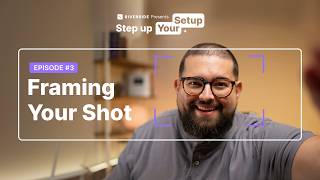
Framing Your Shot | Step Up Your Setup Ep.3
521 views