
ASUS ROG Zephyrus G16 Gaming Laptop Review
🛍️ Products Mentioned (2)
#sponsored #freeproduct Reliable, high-mid tier gaming laptop with solid visuals, good amount of processing power, and fast connectivity. Model # GU603VI-G16.I74070 Amazon Affiliate Product Link: https://geni.us/t07yKa As an Amazon Associate, I earn from qualifying purchases. #CommissionsEarned UK Shoppers - Buy at ASUS: https://tidd.ly/4i5kCSx [ASUS Affiliate Product Link] The GU603 exterior features a prismatic dot matrix design diagonally across 60% of the shell which gives it a unique "moving" rainbow effect as the light hits it from different viewing angles. It has a metallic appearance but is a lightweight sturdy plastic. It measures 14” wide, 9.5” long, and just under 1.25” at its thickest, weighing in under 5 lbs. For I/O, along the left-hand side there’s the power port, HDMI 2.1 out, Gigabit Ethernet, a combo mic/headphone jack, USB-A 3.2 Gen 2, and 2 x USB-C 3.2 Gen 2 ports that both support DisplayPort 1.4 out and Power Delivery charging; the left one also supports Thunderbolt 4. On the right is another USB-A 3.2 Gen 2, microSD card slot, and Kensington lock slot towards the back. On the bottom is ventilation for airflow and two long rubber feet span the back and front of the base. Spec-wise my build has a 13th Gen 10-core Intel i7-13620H CPU with 2.4Ghz base clock, 16 GB 3200MHz soldered DDR4 RAM, 512 GB PCIe Gen 4 m.2 SSD, and a dedicated NVIDIA GeForce RTX4070 GPU in addition to CPU integrated graphics. Inside, there’s one additional RAM slot that can accept a 32 GB chip for a total of 48 GB max capacity. There’s also a second empty m.2 NVMe slot for secondary storage up to 2 GB. The lid opens a full 180° to a lay-flat orientation, and the diagonal of the display is 16” with ultra-thin bezels. The built-in 720p webcam with noise-cancelling 3D-mic array can be used for logging in with facial recognition and video chat, but isn't super high quality. The max refresh rate of this IPS screen is 165Hz with a max resolution of 1920x1200 and 3ms response time. The screen is decently bright, though reportedly only around 270 nits, however, it has 8-bit RGB color depth covering 100% of the DCI-P3 color space calibrated with Pantone Validation and Dolby Vision HDR support that delivers vibrant, well-saturated colors accurate enough for digital artists and content creators. There is a MUX switch so you can use either the integrated or dedicated GPU or automatically switch between them in Hybrid mode for battery efficiency. The 10-keyless RGB backlit keyboard has the top-facing speaker grills on either side, a large 5” x 3.25” trackpad mouse, and four customizable function keys. You can dim or disable the lighting and set it to a few different animations or a solid color, but note that the keys themselves are not individually addressable and the lighting effect will always be a single block. Connectivity-wise, it’s got Wi-Fi 6E, utilizing the 160 MHz bandwidth to boost speeds and decrease congestion and latency as well as Bluetooth 5.3 for lag-free video and audio sync when using wireless BT headphones. Internet and network connectivity remained strong and stable during use, and I didn’t experience very long load times when playing cloud connected games. While gaming this laptop does a fine job with most games on Medium to High settings, when I tried to max out all video settings to Ultra in Path of Exile, I experience frequent dropped frames and stuttering. In games like Counterstrike and WarFrame, I was able to consistently get 165fps with little to no tearing thanks to V-sync. The fans can get super loud though, which can drown out the sound from the stereo speakers on top, which actually sound pretty good when you can hear them. The other thing is that the laptop can put out a lot of heat in order to keep the temperature of its components under control, so you definitely want to make sure it’s got plenty of ventilation. The other thing I use this laptop for is 4K video content creation. This unit does a decent job with processing time when exporting large files, though on battery power it can be a bit sluggish. Speaking of, the 90Watt battery provides about 4 hours of casual use at full brightness, and when gaming that drops to about 2 hours. Keep in mind, that’s including the reduced graphics performance when set to 60 fps at medium graphics. Overall, this Zephyrus G16 is a decent mid-range gaming laptop with a sleek design in a compact unit. The display isn’t top-of-the-line, but I appreciate the additional screen real-estate which makes it easier to edit video and multitask for non-gaming purposes. The battery life is average for a gaming laptop in this form factor can stretch a bit farther when used casually for streaming video and browsing the web. As an Amazon Associate, I earn from qualifying purchases. #CommissionsEarned Amazon Affiliate Product Link: https://geni.us/t07yKa UK Shoppers - Buy at ASUS: https://tidd.ly/4i5kCSx [ASUS Affiliate Product Link]
🎬 More from ReviewedByPhil

Ostation 2 Pro 3-in-1 Battery Storage and Charging Station Review
124 views

8 Month Review of the Banish Kit 3.0 to Fade Acne Scars, Fine Lines & Dark Spots
134 views
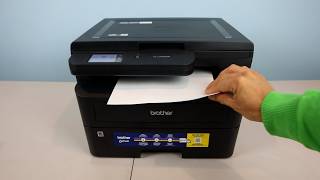
Brother HL-L2480DW Black and White Monochrome Printer Review
248 views

Epson 4K UHD Short Throw Projector LS650 Review
434 views

Ninja Ultracrush Professional Blender Kitchen System Review
380 views

Hisense U7 55" Inch 4K Smart TV 55U7SG Review
920 views