
Sell Hardcover Books on Amazon KDP Using Only Canva
🛍️ Products Mentioned (1)

🎨 Want to create stunning hardcover books WITHOUT expensive design software? This FREE Canva tutorial shows you exactly how! In this step-by-step guide, I'll walk you through creating professional hardcover books using Canva's free tools - perfect for Amazon KDP, self-publishing, or creating your own physical products to sell. 📖 What You'll Learn: ✅ Setting up the perfect hardcover book dimensions in Canva ✅ Designing eye-catching covers that sell ✅ Creating professional interior layouts ✅ Formatting for print-ready files ✅ Exporting your book correctly for KDP or print-on-demand ✅ Pro design tips to make your book look professionally published 💰 Perfect for: Self-publishers launching their first book Authors wanting to upgrade to hardcover editions Digital entrepreneurs creating low-content books Anyone wanting to publish without breaking the bank 🚀 Ready to turn your book idea into reality? Let's dive in! 🔗 HELPFUL RESOURCES: 📌 Free Canva Account: [your affiliate link if you have one] 📌 Amazon KDP: https://kdp.amazon.com 📌 My Self-Publishing Starter Guide: [link to relevant video/resource] 💬 QUESTIONS? Drop them in the comments - I read and respond to every one! 👍 If this tutorial helped you, smash that like button and subscribe to Publish2Profit for more self-publishing strategies that actually work! 🔔 Turn on notifications so you never miss a money-making tutorial! #Canva #SelfPublishing #AmazonKDP #BookDesign #HardcoverBooks
🎬 More from Publish2Profit

How Much YouTube Pays You For 1,000 Views In 2026
23 views

How To Start a Faceless YouTube Channel From Scratch In 2026
60 views
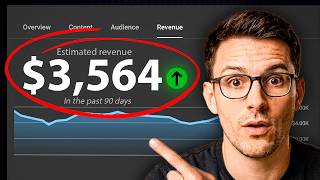
How I Monetized a Faceless AI YouTube Channel in Under 60 Days (And How You Can Too in 2026)
65 views

The 7-Step System Behind Faceless Finance Channels Making $3,700/Month
56 views

I Recreated the Most Viral 3D Shorts Formula
144 views

Stop Wasting Money | 5 FREE AI Video Generators Exposed
498 views