The New Windows Terminal: Command Line Just Got Better
🛍️ Products Mentioned (5)
Windows Terminal documentation
Extracted from
Licensed under Creative Commons Attribution-Share Alike 3.0 Unported
Extracted from
Licensed under Creative Commons Attribution 2.0 Generic
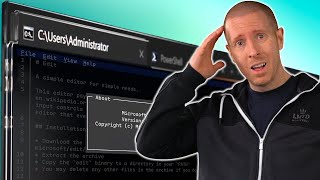
Windows has a new command line terminal, and it is a huge improvement over the traditional console. In this video I cover the difference between a terminal and a shell, and introduce you to the new terminal. I also share some tips and tricks to help you get the best out of the new Windows Terminal - including graphical tweaks, and customisations to improve productivity. Run Linux in Windows 10 using the Windows Subsystem for Linux 2: https://youtu.be/lhREST4uiqw Windows Terminal documentation: https://docs.microsoft.com/windows/terminal/ 💬 Follow Me https://twitter.com/AndrewMRQuinn The Pro Tech Show provides tech, tips, and advice for IT Pros and decision-makers. Video timestamps: 0:00 - Introduction 0:54 - History & Background 3:24 - Terminals & Shells 5:02 - New Windows Terminal & Customisation 9:40 - Performance 11:02 - Old Console Customisation & Conclusion Image Credits: Siemens T100 Extracted from https://commons.wikimedia.org/wiki/File:Teletype-Fernschreiber_T100_Siemens.jpg Author: Nightflyer Licensed under Creative Commons Attribution-Share Alike 3.0 Unported https://creativecommons.org/licenses/by-sa/3.0/deed.en DEC VT100 Extracted from https://commons.wikimedia.org/wiki/File:DEC_VT100_terminal.jpg Author: Jason Scott Licensed under Creative Commons Attribution 2.0 Generic https://creativecommons.org/licenses/by/2.0/deed.en Windows Terminal promo video (Copyright Microsoft): https://youtu.be/8gw0rXPMMPE #WindowsTerminal #Windows