
Get the Most Out of Your Titan Ball Machine
🛍️ Products Mentioned (1)
Unlock the full potential of your Titan Ball Machine with Pro Player & Coach John Cincola! In this step-by-step guide, John shows you how to update the Titan Drills Pro app, tap into the library of built-in drills, and design your own custom training sessions to take your game to the next level. What you’ll learn in this video: 👉 How to update and sync your Titan Ball Machine with the latest app version 👉 Using the built-in pro drills to sharpen footwork, consistency, and shot variety 👉 Creating your own custom drills—adjusting spin, speed, height, and feed rate 👉 Tips for making practice more realistic with randomization and looping features 👉 Saving, organizing, and sharing your favorite drills for repeatable training sessions Sections: 0:00 - Intro 0:21 - Downloading the newest app and updating your machine 1:48 - Understanding Preloaded Drills and Mega Drills 8:28 - Adding Drills from the Titan Drill Library 11:27 - Downloading/Sharing Drills with QR Codes 12:25 - Creating Your Own Drills 19:18 - Additional Options (Copy, Share, Library, Delete) 21:01 - Machine Settings 22:48 - Outro Whether you’re training for a tournament or just looking to improve your overall skills, the Titan Ball Machine will help you reach your goals. For more information about the Titan Ball Machines, check them out at Pickleball Central: https://pickleballcentral.com/pickleball-machines/?_bc_fsnf=1&brand=232 Don’t forget to like, comment, and subscribe for more pro-level training tips from John Cincola and other top players! #TitanBallMachine #PickleballTraining #JohnCincola #TennisTraining #BallMachineDrills #PickleballCentral #Pickleball
About This Video
Frequently Asked Questions
🎬 More from PickleballCentral

Learn the Backhand Open Faced Dink with Ben Johns
12.8K views

🚀 Putting the Holbrook ARMA to the Ultimate Test 💥
3.8K views

First Look: Gearbox GX2 Power – Smoothest Power on the Market
4.1K views
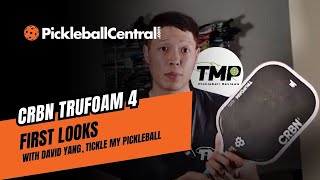
CRBN TruFoam4 Paddle Review - by David Yang
1.9K views
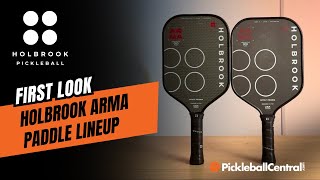
First Look: Holbrook's ARMA Series is Unlike Anything on the Market
4.1K views

Reviewed: New Pickleball Bella Apparel Line
167 views