
Turn Any Texture Into Seamless Pattern in Photoshop!
🛍️ Products Mentioned (24)
1. Sample Image
2. Finished PSD
Join PiXimperfect Pro - The Ultimate Photoshop Training Course
The Best A.I. Powered High-End Portrait Retouching Plugins
Unlimited Photoshop Actions, Plugins, Brushes, Assets, etc
The Best Professional Plugin for Color Grading
Try Photoshop for Free
Music Used in PiXimperfect Videos
My Graphic Tablet
Recommended Budget Tablet
Primary Microphone
Budget Microphone
Audio Interface
Camera
Lens
Best Plugin for Landscape & Astrophotography
The App I Use for YouTube Growth
The Best Professional Plugin for Skin Tones
1. Download the Plugin here
2. Instructions for Installing and Downloading
Goo Product
PIXIMPERFECT MERCH STORE
PIXIMPERFECT ACTIONS
SUPPORT THE CHANNEL & GAIN PREMIUM ACCESS
► Join PiXimperfect Pro - The Ultimate Photoshop Training Course: https://pix.live/pro Discover the professional way to convert any texture or design into a seamless pattern in Photoshop! In this tutorial, we will use the power of content-aware fill, generative fill, remove tool, and pattern preview to blend the edges of the pattern to make it look seamless. Also, we will learn how to dodge and burn to minimize the repeating aspects of the pattern. I hope this video helps you. Thank you so much for watching :) ► TIMESTAMPS: 00:00 Understanding Seamless Patterns 01:12 Offset and Blend the Edge 04:36 Refine and Repair 06:19 Dodge and Burn 07:41 Color Fix 08:15 Convert to Pattern 08:36 Application Example 10:23 Quick Recap ► PIXIMPERFECT COMPOSITING PLUGIN LINKS: 1. Download the Plugin here: https://pix.live/compositing 2. Instructions for Installing and Downloading: https://pix.live/compositinginstall ► SUPPORT THE CHANNEL & GAIN PREMIUM ACCESS: https://www.patreon.com/piximperfect ► RECOMMENDED SOFTWARE & CREATIVE RESOURCES: ✅ The Best A.I. Powered High-End Portrait Retouching Plugins: https://pix.live/retouch4me ✅ Unlimited Photoshop Actions, Plugins, Brushes, Assets, etc: https://pix.live/envato ✅ The Best Professional Plugin for Color Grading: https://pix.live/infinitecolor ✅ The Best Professional Plugin for Skin Tones: https://pix.live/unify ✅ Best Plugin for Landscape & Astrophotography: https://pix.live/propanel ✅ Try Photoshop for Free: https://pix.live/photoshop ✅ The App I Use for YouTube Growth: https://pix.live/ytapp ✅ Music Used in PiXimperfect Videos: https://pix.live/music ► THE GEAR I USE: ✅ My Graphic Tablet: https://pix.live/wacompro ✅ Recommended Budget Tablet: https://pix.live/wacomlite ✅ Primary Microphone: https://pix.live/mic1 ✅ Budget Microphone: https://pix.live/mic2 ✅ Audio Interface: https://pix.live/audiointerface ✅ Camera: https://pix.live/camera ✅ Lens: https://pix.live/lens ► PIXIMPERFECT MERCH STORE: https://teespring.com/stores/piximperfect ► PIXIMPERFECT ACTIONS: https://gumroad.com/piximperfect ► SHARE: https://goo.gl/IUhnUl ► DOWNLOADS: 1. Sample Image: https://bit.ly/3Xs0143 2. Finished PSD: https://bit.ly/3zaOrAr (Only for PiXimperfect Patreon Family) ► LET'S CONNECT: Instagram: https://www.instagram.com/piximperfect Facebook: http://facebook.com/piximperfect Twitter: https://twitter.com/piximperfect
🎬 More from PiXimperfect

Photoshop's NEW Offline AI: No Credits, No Internet!
86.1K views
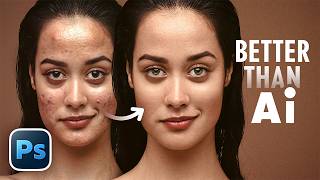
"B.S.T" Method of Retouching in Photoshop (Better Than Any AI)
93.8K views

14 New Things Adobe Didn't Tell You! - Photoshop 27.6
188.3K views

Is Photo Editing Dead? #Shorts
94.7K views

Master Creative Tools - Photoshop for Beginners | Lesson 3
31.1K views

In Love with Your Thumbnail? It's a Trap | Thumbnail Design 101
12.5K views