
Restore Old Photos with AI (Without Changing Anything!)
🛍️ Products Mentioned (16)
1. Sample Images
2. Processed Images
Join PiXimperfect Pro - The Ultimate Photoshop Training Course
Official PiXimperfect Compositing Plugin
The Best A.I. Powered High-End Portrait Retouching Plugins
Unlimited Photoshop Actions, Plugins, Brushes, Assets, etc
The Best Professional Plugin for Color Grading
Try Photoshop for Free
Music Used in PiXimperfect Videos
My Graphic Tablet
Recommended Budget Tablet
Primary Microphone
Budget Microphone
Audio Interface
Camera
Lens
Restore old photos with AI without changing a single face, feature, or detail, and learn a precise, archive-safe workflow that keeps the soul of the photograph completely intact! 🚀 Join PiXimperfect Pro - The Ultimate Photoshop Training Course: https://pix.live/pro In this video, I'll show you how to restore damaged, old, or historic photos using AI the right way, without letting it alter expressions, shapes, or proportions common with most AI tools. We'll start by preparing the image correctly in Photoshop, choosing the right aspect ratio to prevent shifts, then move into AI restoration with carefully controlled prompts and settings. After that, you'll learn how to bring the result back into Photoshop to verify accuracy using alignment, Difference blend mode, and auto-align techniques to ensure nothing has changed, pixel for pixel. This method lets you harness the power of AI while maintaining full creative and ethical control, making it suitable for serious restoration, archival work, or priceless family photos. I hope this video helps you. Thank you so much for watching :) ► TIMESTAMPS: 00:00 Intro and Precision 00:29 Step 1 - Cropping and Aspect Ratios 01:27 Step 2 - Restoring with AI 04:11 Step 3 - Alignment and Correction 07:03 Automatic Alignment 08:56 Conclusion ► RECOMMENDED SOFTWARE & CREATIVE RESOURCES: ✅ Official PiXimperfect Compositing Plugin: https://pix.live/pixcomposite ✅ The Best A.I. Powered High-End Portrait Retouching Plugins: https://pix.live/retouch4me ✅ Unlimited Photoshop Actions, Plugins, Brushes, Assets, etc: https://pix.live/envato ✅ The Best Professional Plugin for Color Grading: https://pix.live/infinitecolor ✅ Try Photoshop for Free: https://pix.live/photoshop ✅ Music Used in PiXimperfect Videos: https://pix.live/music ► THE GEAR I USE: ✅ My Graphic Tablet: https://pix.live/wacompro ✅ Recommended Budget Tablet: https://pix.live/wacomlite ✅ Primary Microphone: https://pix.live/mic1 ✅ Budget Microphone: https://pix.live/mic2 ✅ Audio Interface: https://pix.live/audiointerface ✅ Camera: https://pix.live/camera ✅ Lens: https://pix.live/lens ► DOWNLOADS: 1. Sample Images: https://drive.google.com/drive/folders/1Vjg9kmhr6OVYkihtlsEHC1ycURqehQee?usp=drive_link 2. Processed Images: https://pix.live/restoreaipro (Only for PiXimperfect Pro Members) ► LET'S CONNECT: Instagram: https://www.instagram.com/piximperfect Facebook: http://facebook.com/piximperfect Twitter: https://twitter.com/piximperfect
🎬 More from PiXimperfect

Photoshop's NEW Offline AI: No Credits, No Internet!
86.1K views
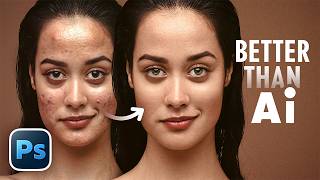
"B.S.T" Method of Retouching in Photoshop (Better Than Any AI)
93.8K views

14 New Things Adobe Didn't Tell You! - Photoshop 27.6
188.3K views

Is Photo Editing Dead? #Shorts
94.7K views

Master Creative Tools - Photoshop for Beginners | Lesson 3
31.1K views

In Love with Your Thumbnail? It's a Trap | Thumbnail Design 101
12.5K views