
Photoshop's NEW Offline AI: No Credits, No Internet!
🛍️ Products Mentioned (16)
Join PiXimperfect Pro - The Ultimate Photoshop Training Course
Official PiXimperfect Compositing Plugin
The Best A.I. Powered High-End Portrait Retouching Plugins
Unlimited Photoshop Actions, Plugins, Brushes, Assets, etc
The Best Professional Plugin for Color Grading
Try Photoshop for Free
Music Used in PiXimperfect Videos
My Graphic Tablet
Recommended Budget Tablet
Primary Microphone
Budget Microphone
Audio Interface
Camera
Lens
1. Sample Images
2. Finished PSDs
Discover the new Remove Tool's On-Device Generative AI feature in Photoshop! Learn how to download this Adobe's AI model locally, and use it with no credit usage or internet. 🚀 Join PiXimperfect Pro - The Ultimate Photoshop Training Course: https://pix.live/pro In this tutorial, we will explore the new on device Generative AI for Remove Tool in Photoshop version 27.7, and learn how to set it up, its minimum requirements, and the settings you need to get it going. We'll also test it in various scenarios and learn the best practices and tricks to generate higher quality result, and stress test it against a variety of examples. We will also compare it with the Cloud version of Generative Remove, and Generative Fill and see where it stands. We'll also discuss the shortcomings and possible future features that can truly make the biggest impact. I hope this video helps you. Thank you so much for watching :) ► TIMESTAMPS: 00:00 What is it? 00:15 How to Activate the Feature? 01:55 How It Works and Examples 04:38 Cloud vs Device 07:25 What Can Improve 09:04 Future Features and Wishlist ► RECOMMENDED SOFTWARE & CREATIVE RESOURCES: ✅ Official PiXimperfect Compositing Plugin: https://pix.live/pixcomposite ✅ The Best A.I. Powered High-End Portrait Retouching Plugins: https://pix.live/retouch4me ✅ Unlimited Photoshop Actions, Plugins, Brushes, Assets, etc: https://pix.live/envato ✅ The Best Professional Plugin for Color Grading: https://pix.live/infinitecolor ✅ Try Photoshop for Free: https://pix.live/photoshop ✅ Music Used in PiXimperfect Videos: https://pix.live/music ► THE GEAR I USE: ✅ My Graphic Tablet: https://pix.live/wacompro ✅ Recommended Budget Tablet: https://pix.live/wacomlite ✅ Primary Microphone: https://pix.live/mic1 ✅ Budget Microphone: https://pix.live/mic2 ✅ Audio Interface: https://pix.live/audiointerface ✅ Camera: https://pix.live/camera ✅ Lens: https://pix.live/lens ► DOWNLOADS: 1. Sample Images: https://pix.live/ondevicesample 2. Finished PSDs: https://pix.live/ondevicepro (Only for PiXimperfect Pro Members) ► LET'S CONNECT: Instagram: https://www.instagram.com/piximperfect Facebook: http://facebook.com/piximperfect Twitter: https://twitter.com/piximperfect
🎬 More from PiXimperfect
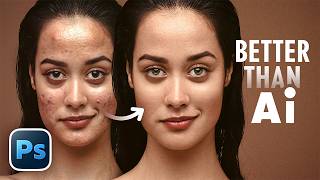
"B.S.T" Method of Retouching in Photoshop (Better Than Any AI)
93.8K views

14 New Things Adobe Didn't Tell You! - Photoshop 27.6
188.3K views

Is Photo Editing Dead? #Shorts
94.7K views

Master Creative Tools - Photoshop for Beginners | Lesson 3
31.1K views

In Love with Your Thumbnail? It's a Trap | Thumbnail Design 101
12.5K views

Your thumbnail has 2 seconds... or it fails | Thumbnail Design 101
25.6K views