
Photoshop for Complete Beginners: Start Here | Lesson 1
🛍️ Products Mentioned (15)
DOWNLOAD NOTES & PRACTICE FILES
Official PiXimperfect Compositing Plugin
The Best A.I. Powered High-End Portrait Retouching Plugins
Unlimited Photoshop Actions, Plugins, Brushes, Assets, etc
The Best Professional Plugin for Color Grading
Try Photoshop for Free
Music Used in PiXimperfect Videos
My Graphic Tablet
Recommended Budget Tablet
Primary Microphone
Budget Microphone
Audio Interface
Camera
Lens
Download Creative Cloud Desktop App
If you're opening Photoshop for the first time and everything feels overwhelming, this is exactly where you need to start. In this lesson, you and I will walk through Photoshop together, step by step, from the very basics of what Photoshop even is, all the way to creating your first projects, saving your work, and confidently navigating the workspace. By the end, Photoshop will never feel scary to you again. I've also created detailed lesson notes and practice files that you can download for free using the link below, so you can follow along and come back to this anytime. I hope this video helps you. Thank you so much for watching :) ► DOWNLOAD NOTES & PRACTICE FILES: https://pix.live/psb1 ► GET PHOTOSHOP: Try Photoshop for free: https://pix.live/photoshop Students & teachers get a significant discount on the same page. Download Creative Cloud Desktop App: https://pix.live/ccdesktop ► TIMESTAMPS: 00:00 A Promise 00:23 What is Photoshop 00:38 What is a Pixel 02:10 How to Install & Update Photoshop 03:38 The Photoshop Home Screen 04:52 Intro to Photoshop Workspace 05:34 Switch Between Home Screen and Workspace 07:09 Create and Save Your Own Workspace 12:48 Find Hidden or Missing Panels 14:24 3 Major Parts of a Workspace 16:39 The OCS of Photoshop 17:06 How to Open a File 20:54 How to Create a File 22:15 Fun Project 1 - Text Design 27:42 How to Save 33:01 Fun Project 2 - Double Exposure 34:45 Save As 37:16 Export As 40:15 The Three OSM Bars in Photoshop 40:37 Options Bar 43:45 Status Bar 44:58 Menu Bar 45:55 How to Undo and Redo 46:35 Master Navigation - Zoom and Pan 51:02 Turn This Photoshop Setting Off 52:44 The New Contextual Task Bar 53:46 Fun Project 3 - Contextual Task Bar 59:35 How to Really Master Photoshop 59:51 One Favor ► RECOMMENDED SOFTWARE & CREATIVE RESOURCES: ✅ Official PiXimperfect Compositing Plugin: https://pix.live/pixcomposite ✅ The Best A.I. Powered High-End Portrait Retouching Plugins: https://pix.live/retouch4me ✅ Unlimited Photoshop Actions, Plugins, Brushes, Assets, etc: https://pix.live/envato ✅ The Best Professional Plugin for Color Grading: https://pix.live/infinitecolor ✅ Music Used in PiXimperfect Videos: https://pix.live/music ► THE GEAR I USE: ✅ My Graphic Tablet: https://pix.live/wacompro ✅ Recommended Budget Tablet: https://pix.live/wacomlite ✅ Primary Microphone: https://pix.live/mic1 ✅ Budget Microphone: https://pix.live/mic2 ✅ Audio Interface: https://pix.live/audiointerface ✅ Camera: https://pix.live/camera ✅ Lens: https://pix.live/lens ► LET'S CONNECT: Instagram: https://www.instagram.com/piximperfect Facebook: http://facebook.com/piximperfect Twitter: https://twitter.com/piximperfect
🎬 More from PiXimperfect
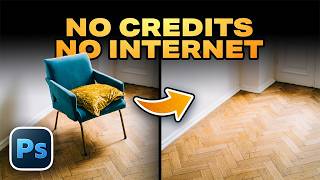
Photoshop's NEW Offline AI: No Credits, No Internet!
86.1K views

"B.S.T" Method of Retouching in Photoshop (Better Than Any AI)
93.8K views

14 New Things Adobe Didn't Tell You! - Photoshop 27.6
188.3K views
Is Photo Editing Dead? #Shorts
94.7K views
Master Creative Tools - Photoshop for Beginners | Lesson 3
31.1K views

In Love with Your Thumbnail? It's a Trap | Thumbnail Design 101
12.5K views