
How To Colour Grade Your RAW Files In Lightroom
🛍️ Products Mentioned (3)
As a professional photographer. Shooting in Raw is by far my preferred file format for one major reason. Flexibility. You've got so much more data to play with in a raw file, so you can really customise your image in post-production and run into far less limitations, especially if you're shooting in Jpeg. So in today's video, I'm going to quickly show you my editing workflow on how I edit my raw files inside Lightroom. And I'm going to start right now. I hope this video helps and don't forget to subscribe for more awesome videos just like this :) LINKS: 🌇 Filmmaking LUTs & Lightroom Presets Shop: https://www.photographybyfeaver.com/shop 🔴 Join this channel membership to get access to perks: https://www.youtube.com/channel/UChuTCdE6mvY0BT16rBzM2nQ/join 👕 Official Merchandise https://teespring.com/en-GB/stores/photography-by-feaver 🌐 Website https://photographybyfeaver.com 📺 TikTok @photo_feaver https://www.tiktok.com/@photo_feaver 📺 Instagram @photo_feaver https://www.instagram.com/photo_feaver/
🎬 More from Photo Feaver
Should you buy the Sony A7R V or the Sony A7CR in 2025?
1.2K views

Why Your Skin Tones Look Muddy And How To Fix Them In Lightroom
5.7K views
5 Hidden Lightroom Masking Secrets That Will Transform Your Next Image
4.6K views
Whats Canon's Best BUDGET Prime Lens? Canon RF 45mm 1.2 Vs Canon RF 50mm 1.8
7.7K views
Stop Guessing Colours! Use This colour harmony Instead Part 6 | Quadratic
1.5K views
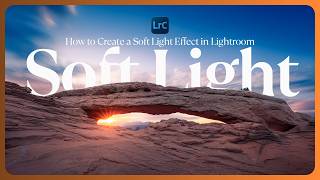
How to Create This Soft Light Effect in Lightroom
1.5K views