
How to film VERTICAL and HORIZONTAL at the SAME TIME!
🛍️ Products Mentioned (3)
In this video ill share how to shoot both vertical AND horizontal video at the same time with one camera. Ill also show you how to edit both! Join my channel membership for access to perks: https://www.youtube.com/channel/UCIPigoUn9DZl6XSuBxoydQg/join My Gear List: https://kit.co/philiplemoine/cooking-content-kit Cooking Creators Course: https://www.cookingcreators.com/ Cooking Content Creators Facebook Group: https://www.facebook.com/groups/2528018827511080 FOLLOW ME: Website: https://www.PhilipLemoine.com Instagram: https://www.instagram.com/philip_lemoine TikTok: https://www.tiktok.com/@philiplemoine Twitter: https://twitter.com/philip_lemoine This video and description contains affiliate links, which means that if you click on one of the product links, I’ll receive a small commission. For sponsorship, product reviews, and collaboration, please email me at: hello@philiplemoine.com 00:00 - Intro 00:08 - 4K Camera Settings 00:24 - Turn on Rule of Thirds Gridlines with a Camera 00:46 - Turn on Rule of Thirds Gridlines with an iPhone 01:02 - How to Frame Your Shots for Vertical Video 01:26 - How to Recompose Your Horizontal Shots 01:57 - WATCH THIS! 02:15 - Editing Horizontal Video 03:34 - My Full Editing Workflow 03:53 - Creating A Vertical Video Sequence 04:10 - Editing Vertical Video Shots 04:44 - Tip for Quicker Vertical Video Editing 04:57 - Wrap Up
🎬 More from Philip Lemoine

5 Habits That Make Filming Cooking Videos Easier
13.2K views

How I Got Companies to Fund My Dream Racing Setup
11.6K views
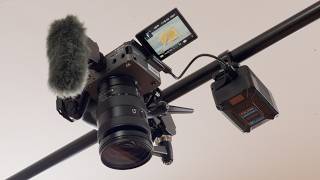
My Overhead Top Down Camera Rig
7.0K views

Ultimate Guide to Lighting Cooking Videos
29.1K views

EASY YouTube Thumbnails Using Instagram
4.3K views

The Business Side of Being a Creator: LLCs, S Corps, Write Offs, and Taxes!
1.5K views