
The Ultimate Self-Hosted Obsidian Sync Setup (PC & iOS)
🛍️ Products Mentioned (9)
Syncthing
Mobius Sync Pro iOS
Syncthing Tailscale Script
curl -fsSL
Starter Vault Free
Starter Vault Pro
me a Coffee
Obsidian App
Use Chat APIs in your Vault with all the premium models
// Obsidian Starter Vault Downloads Free Kit: https://ko-fi.com/s/33678f10a7 (Free) Pro Kit: https://ko-fi.com/s/c8e544e005 (Donation) Obsidian App: https://obsidian.md/ // Obsidian Beginners Guide Series https://www.youtube.com/playlist?list=PLJJdpQJ7fSkYEMgPf_eLSdhSFyZACsBai #Obsidian AI Tools (Subscription) https://www.obsidianaitools.com // CHAPTERS 00:00 - Intro 00:37 - Sync Tools Overview 02:02 - The Problem with Third Party Sync Providers 04:43 - The Benefits of Syncing Obsidian with Syncthing and Tailscale 05:19 - Syncthing Scenario Overview 17:39 - How to Setup Syncthing on Apple iPhone 24:07 - How to Setup Syncthing on Apple iPad 29:30 - Securing our Syncthing Devices with Tailscale 37:20 - Securing your Apple iPad with Tailscale 40:24 - Securing your Apple iPhone with Tailscale 44:10 - Troubleshooting Syncthing Conflicts 45:44 - Outro // Description Today I'm exited to show you how to sync your Obsidian Notes between Windows and iOS without relying on Google Drive, iCloud, or OneDrive. We'll be using Syncthing - a powerful self-hosted tool that puts you in complete control of your data. I'll start by showcasing how my setup works from my PC to my iPhone and iPad, then I will walk you through the exact steps to configure your own Syncthing server. By the end of this video, you'll have a private, secure system for syncing your Obsidian vault anywhere you go. Join me if you're ready to take back control of your note-syncing // Required - Syncthing https://syncthing.net/ - Mobius Sync Pro iOS https://apps.apple.com/us/app/m%C3%B6bius-sync-pro/id1671184333 - Obsidian https://obsidian.md/ // Syncthing Tailscale Script https://github.com/motion2082/Obsidian/blob/main/YouTube/Syncthing/Script.txt Install Tailscale on Linux with one command curl -fsSL https://tailscale.com/install.sh | sh These two lines work together to enable network tunneling capabilities within the LXC container. They allow the container to create and use virtual network interfaces, which is essential for running applications that require VPNs, tunnels, or other network virtualisation features. // Community Feedback Thanks for watching! Now you have everything you need to sync your Obsidian vault using your own Syncthing server - no third-party cloud services required. If you run into any issues setting up Syncthing, don't hesitate to ask – I'll do my best to help. If this helped you take control of your note syncing, hit that like button and subscribe for more Obsidian workflows and productivity hacks. // Buy me a Coffee https://ko-fi.com/motion2082
🎬 More from Paul Dickson

Every Obsidian Vault I've Made | The Ultimate Vault
1.7K views
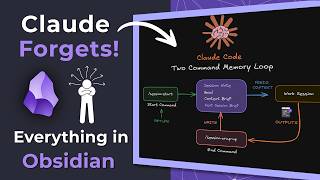
Claude Forgets Everything in Obsidian. I Fixed It!
6.1K views
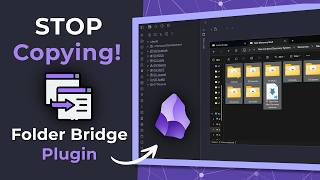
Stop Copying Files Into Obsidian | Folder Bridge Plugin
5.7K views
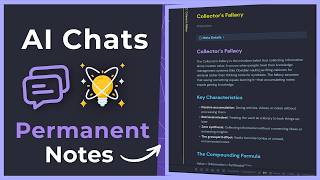
Turn Your AI Chats into Permanent Obsidian Notes (Step-by-Step)
2.9K views

Obsidian RSS Dashboard — What I Changed and Why
2.6K views

AI Tools inside Obsidian — Which One is Right for You?
2.8K views