
How to Use a Markdown Assistant in Obsidian AI Tools (Knowledge Studio Guide)
🛍️ Products Mentioned (7)
More ways to use your Subscription
Starter Vault Free
Starter Vault Pro
Obsidian AI Tools
me a Coffee
Obsidian App
Obsidian AI Tools ($7USD per month - cancel anytime)
//Obsidian Starter Vault Download Free Kit: https://ko-fi.com/s/33678f10a7 (Free) Pro Kit: https://ko-fi.com/s/c8e544e005 (Donation) Obsidian App: https://obsidian.md/ //Obsidian Beginners Guide Series https://www.youtube.com/playlist?list=PLJJdpQJ7fSkYEMgPf_eLSdhSFyZACsBai #Obsidian AI Tools (Subscription) in partnership with Ultimate AI Use Chat APIs in your Vault with all the premium models https://obsidianaitools.com More ways to use your Subscription https://docs.ultimateai.org Subscribe via PayPal Here https://obsidianaitools.com/subscribe-to-obsidian-ai-tools/ CHAPTERS 00:00 - Intro 00:32 - Obsidian AI Tools Knowledge Studio Overview 02:28 - My Knowledge Studio Setup 05:47 - AI Agent Example 01 09:46 - AI Agent Example 02 11:44 - AI Agent Example 02 14:55 - Outro // Description In today’s video, I’ll show you how to use an AI Agent within Knowledge Studio using Obsidian AI Tools. First, I’ll explain what Knowledge Studio is, and then I’ll walk you through practical examples of how you can integrate this powerful tool into your Obsidian Vault. If you often find yourself reusing the same AI prompts in Obsidian and wish you had a smarter assistant, this video is for you! // Community Feedback The Knowledge Studio is a powerful tool that lets you create AI Agents, add knowledge and set AI prompts in Obsidian If you found this guide helpful, please consider leaving a comment below. If you're already using Knowledge Studio, I'd love to hear about your experiences—feel free to share your tips or favorite use cases! // Buy me a Coffee https://ko-fi.com/motion2082
🎬 More from Paul Dickson

Every Obsidian Vault I've Made | The Ultimate Vault
1.7K views
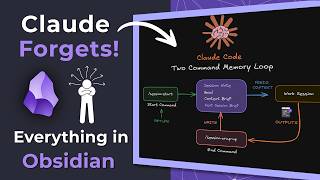
Claude Forgets Everything in Obsidian. I Fixed It!
6.1K views
Stop Copying Files Into Obsidian | Folder Bridge Plugin
5.7K views
Turn Your AI Chats into Permanent Obsidian Notes (Step-by-Step)
2.9K views

Obsidian RSS Dashboard — What I Changed and Why
2.6K views
AI Tools inside Obsidian — Which One is Right for You?
2.8K views