
Ryzen Gaming PC PARTS Guide for Beginners Part 1 of 2
Ryzen Gaming PC PARTS Guide for Beginners Part 1 of 2 - Ryzen 5 3600 | RTX 2060 Super This is PART 1 of 2, a video series focused for beginners as a tutorial for building a $1000 gaming PC. This video series will cover the entire full process of picking out the parts, building, and benchmarking. In this video, I cover Part 1 which is picking out the parts on PC Part Picker to build the most potent $1000 gaming PC money can buy in today's mid-year 2020 markets. Enjoy!!! 🔔 Subscribe to PC Tech Hustle: https://www.youtube.com/c/PCTechHustle ***** SEE PARTS LIST BELOW TO BUILD YOUR OWN!!! ***** *** WATCH NEXT!!! *** - How to BUILD a Ryzen Gaming PC - Beginners BUILD Guide Part 2 of 2 (WATCH NEXT!!!) https://www.youtube.com/watch?v=LfWaBCSzZ7s - Ryzen 5 3600 Overheating - How I fixed it! https://www.youtube.com/watch?v=GXoT8lbIo2Y&feature=youtu.be - Dell Optiplex i7 Upgrade - BIG FPS Improvements!!! https://www.youtube.com/watch?v=OPAx249k4bk&t=369s *** PARTS LIST: Recreate this build !!! *** CHECK OUT the comprehensive list on PC Part Picker: https://pcpartpicker.com/user/Dan12gt/saved/#view=8dTsXL - Motherboard: Gigabyte Aorus B550 Pro AC: https://amzn.to/33Ag3wK - CPU: Ryzen 5 3600: https://amzn.to/33wpSfg - CPU Cooler: Hyper 212 Black: https://amzn.to/39Zgl1A - RAM: G.Skill Ripjaw V Black @3600 CL18: https://amzn.to/2Pr1Rhw - GPU: EVGA 2060 Super Black https://amzn.to/2ENGdSp - Storage: Crucial P1 500GB NVMe https://amzn.to/3kdoiop - PSU: EVGA 700w BR: https://amzn.to/2Xxg8NY -Case: NZXT H510 Black: https://amzn.to/31iVfaB **Parts Alternatives: ** -Cheaper Motherboard w/ wifi: MSI Tomahawk b450 MAX ATX: https://amzn.to/31lGJyN - Cheaper Motherboard w/o wifi: Gigabyte b450 DS3H Micro ATX: https://amzn.to/33srFSA - GPU: EVGA GTX 1660 Super: https://amzn.to/39WnaB3 - Larger Storage Alternative:- Crucial P1 1TB: https://amzn.to/39Y0a4t *** Follow me on Instagram, Facebook, and Twitter! *** https://www.instagram.com/pctechhustl... https://www.facebook.com/PCTechHustle https://twitter.com/HustlePc *** My Channel Gear *** - Tools: iFixit Pro Tech Toolkit: https://amzn.to/3dXeevF - Camera: Sony a6400 4k: https://amzn.to/2G4MYNl - Studio Lights : EDDI 20x28 Softbox: https://amzn.to/2G80Rdm - Tripod: Mactrem 62": https://amzn.to/378yyra - Mic: Lavalier Lapel: https://amzn.to/38qv6bS *** Music Credits *** Epidemic Sound - http://www.epidemicsound.com *** Video Time Codes *** 00:00 Introduction 01:32 CPU Selection 02:15 Motherboard Selection 06:27 RAM Selection 08:19 Storage Selection 10:42 GPU Selection 11:38 Case Selection 15:08 PSU Selection 16:58 Parts Selection Recap 18:42 CPU Cooler Add 19:18 Budget Wiggle Room Options 22:24 Conclusion *** DISCLAIMER *** If you online shopping via the links provided in my videos these may be targeted affiliate links that specifically provide a small commission paid to me to allow me to continue funding the content I create for you. This is of no additional cost to you and is a fantastic way to support my channel! Thank you so much! #PCBuild#Howto#Parts
🎬 More from PC Tech Hustle
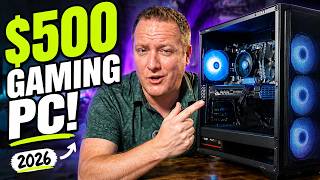
Yes, You CAN Build a $500 Gaming PC in 2026!
1.9K views
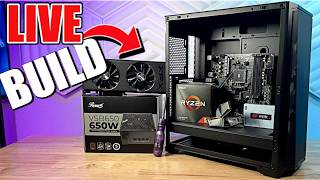
🟣 Building a $500 Gaming PC in 2026 - Live Build and Hang Out!
487 views
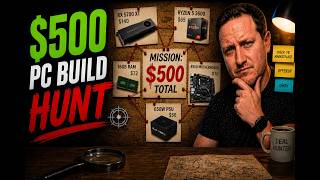
Can You STILL Build a $500 Gaming PC in 2026? (Parts Hunt)
1.1K views
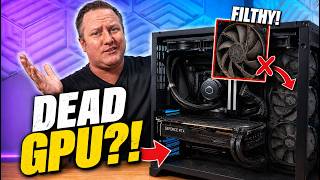
Thought the GPU Was Dead… Instead, a FILTHY PC!
619 views
🟣 Building TINY 4.3L Travel PC - Live Build and Hang out!
414 views
🟣 Building a 16TB Mini PC - Live Build and Hang out!
242 views